Aircraft
Aircraft in Infinite Pilot Logbook let you manage the individual airplanes you fly, linking each registration to an aircraft type, operator, owner, and aircraft-specific configuration for accurate flight logging and statistics.
Last updated 8 months ago
What Is an Aircraft in IPL?
In IPL, an Aircraft represents a specific physical airplane, identified by its Aircraft ID (registration or tail number).
While Aircraft Types describe general models (such as A320 or B737-800), Aircraft entries allow you to track the exact airframes you actually flew.
Aircraft are mainly used when logging flights, ensuring consistency across your logbook, totals, and aircraft-based statistics.
Accessing the Aircraft List
You can access the Aircraft module from:
More → Aircraft
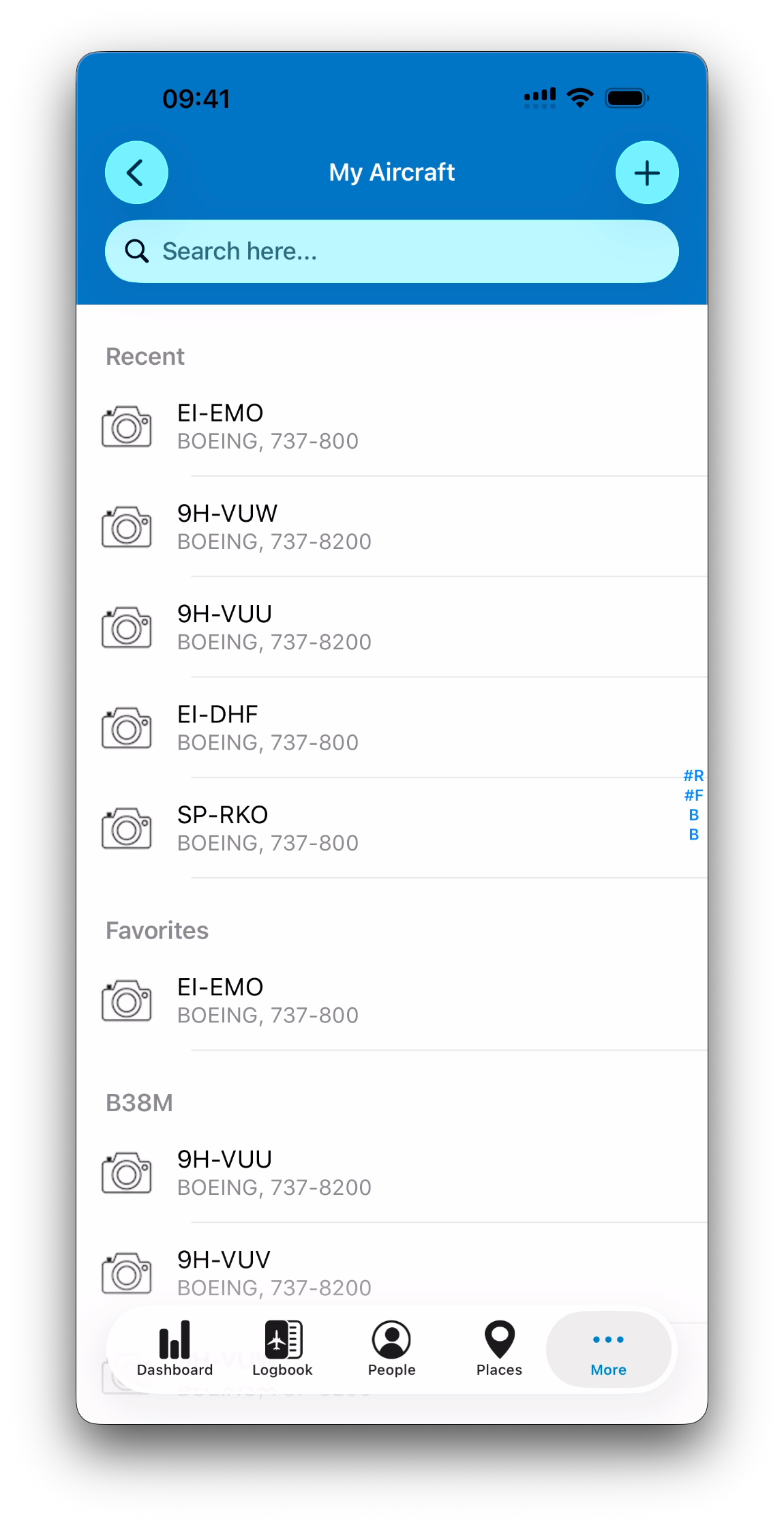
This opens the My Aircraft list, where all aircraft in your personal database are displayed.
How the Aircraft List Is Organized
Like most IPL database modules, the Aircraft list is designed for fast selection:
Recent
Aircraft you have interacted with recently
Favorites
Aircraft marked as favorites for quicker access
Grouped by Aircraft Type
All other aircraft are grouped under the ICAO code of their aircraft type
Each aircraft entry displays:
A picture on the left (if available)
The Aircraft ID as the main title
A subtitle in the format: Manufacturer, Model (based on the selected Aircraft Type)
Example:
EI-EMO
BOEING, 737-800
Adding a New Aircraft
To create a new aircraft:
Open the Aircraft list
Tap the + button
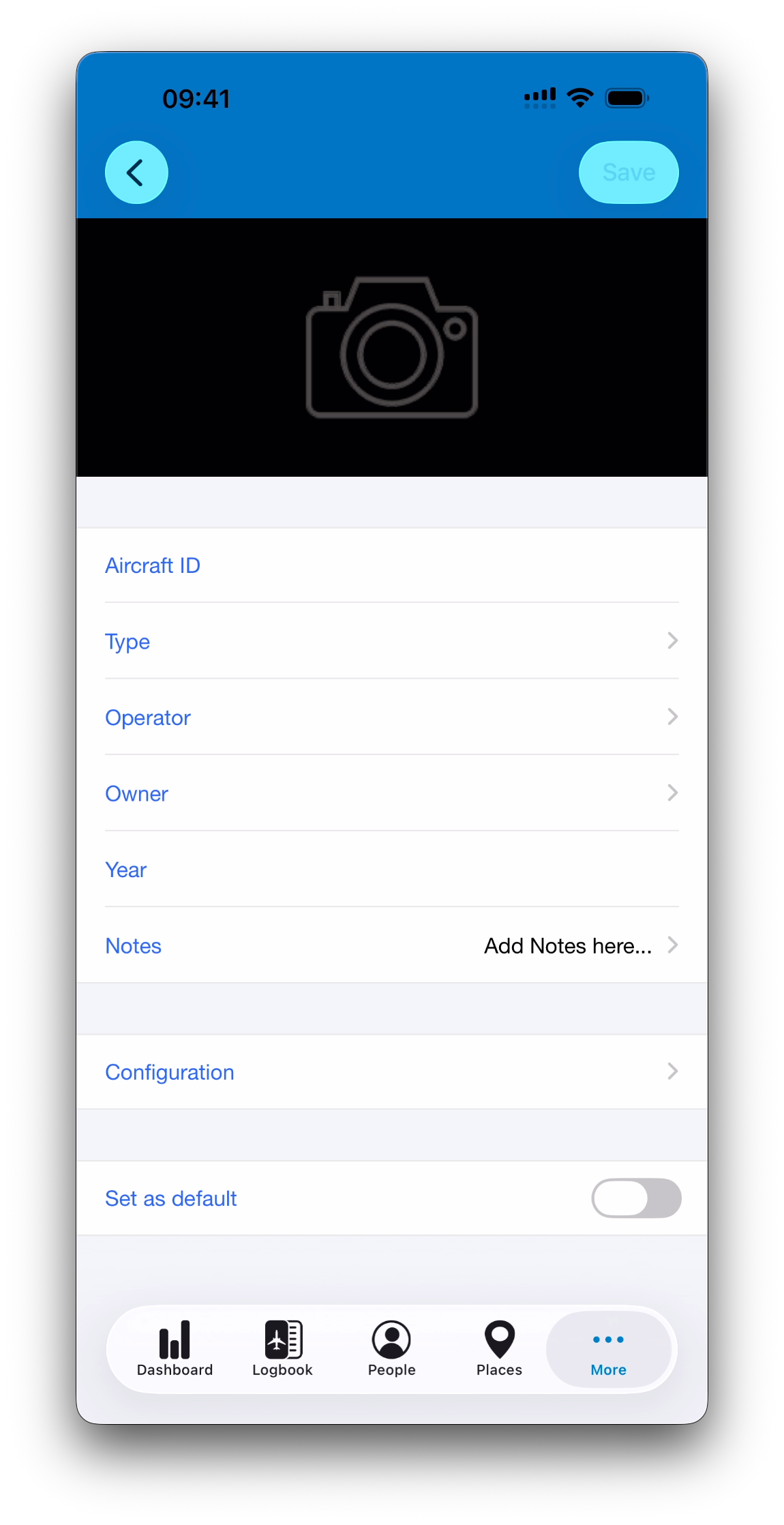
Fill in the aircraft form
Tap Save to create the aircraft
Unlike edits, new aircraft are not saved automatically until you confirm with the Save button.
Once the aircraft is created:
Future edits are auto-saved
The Save button is replaced by a Favorite (❤️) button in the detail view
Aircraft Fields
When creating or editing an aircraft, the following fields are available:
Aircraft ID (required)
The registration or tail number
This is the only mandatory field
Type
Selected from your Aircraft Types database
Operator
Selected from the People module
Useful for airline or club operations
Owner
Selected from the People module
Useful for privately owned or leased aircraft
Year
Optional manufacturing year
Notes
Any additional remarks about this airframe
Aircraft Configuration
Each aircraft includes a Configuration section.
This section includes a set of technical and operational characteristics (such as MTOW, passenger capacity, airframe type, landing gear features etc…) that help describe the aircraft more precisely.
Inheriting Values from the Type
When you select an Aircraft Type, the aircraft automatically inherits the configuration values from that type
Aircraft-Specific Customization
Configuration values can be adjusted for a specific aircraft:
Changes apply only to this aircraft
The Aircraft Type itself remains unchanged
This is useful when multiple airframes of the same type differ slightly in equipment or characteristics.
Statistics for an Aircraft
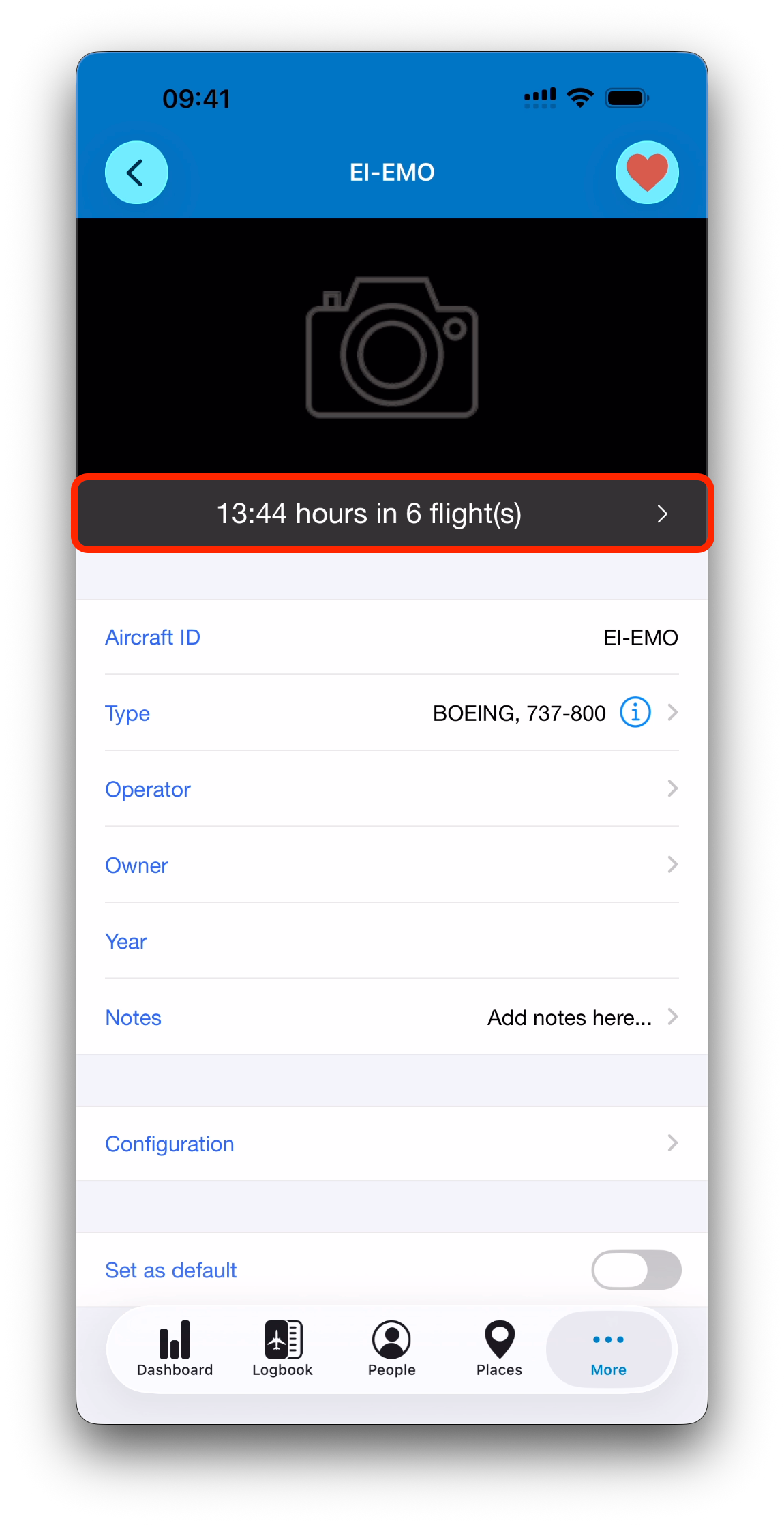
In the detail view of an existing aircraft, IPL displays a summary bar just below the picture.
This bar shows:
Total flight time on this aircraft
Number of flights logged on it
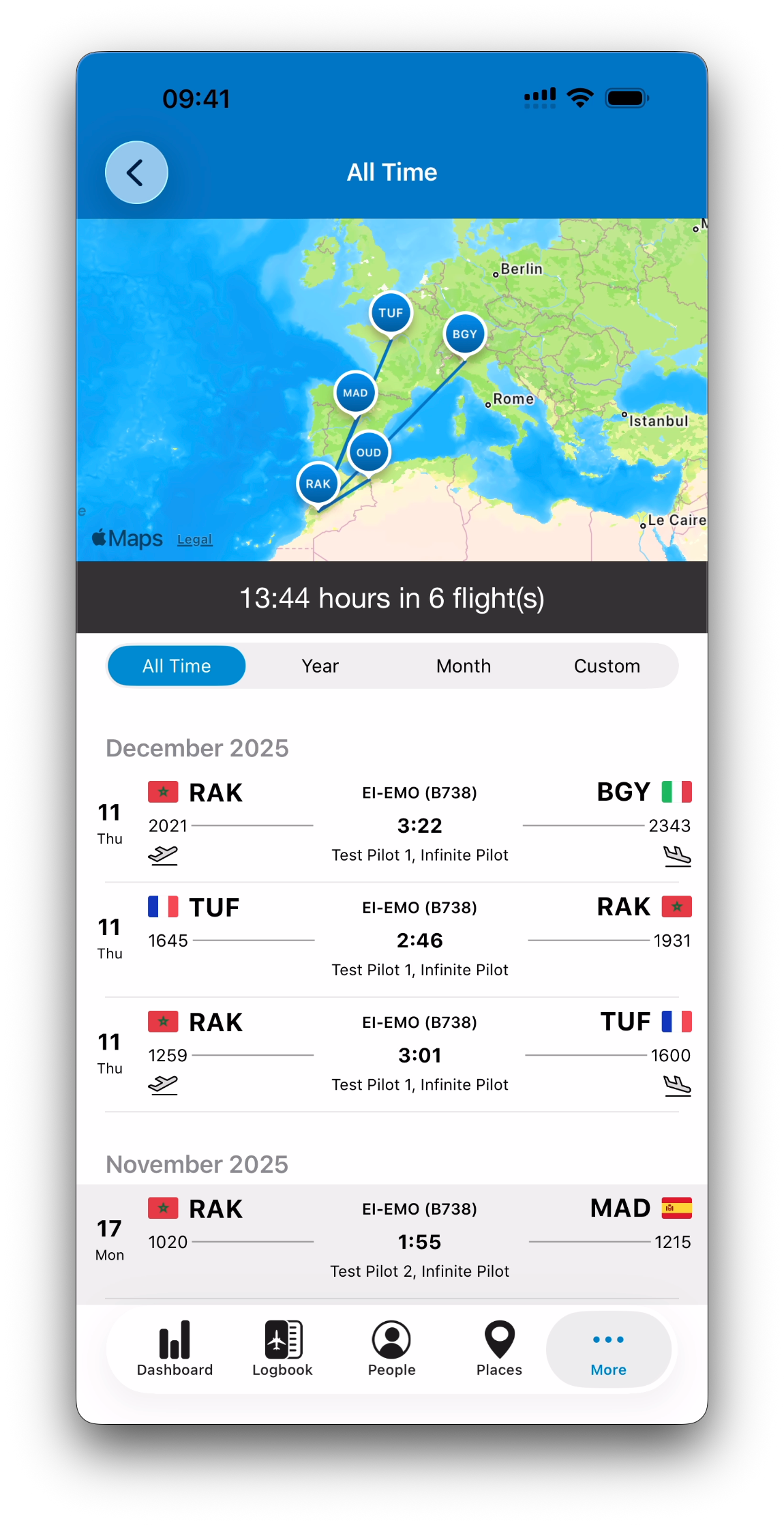
Tapping this summary opens a dedicated screen with:
A map of flights performed with this aircraft
A list of the corresponding logbook entries
Controls to adjust the displayed time period (All Time, Year, Month, Custom)
Default Aircraft
An aircraft can be marked as your Default Aircraft using the Set as default switch.
Rules:
Only one aircraft can be the default at a time
When enabled, that aircraft is automatically pre-selected in new flight entries
This is especially useful if you regularly fly the same airplane.
Using Aircraft Throughout IPL
Just like People, Places, and Aircraft Types, aircraft can be:
Selected or created on the fly from anywhere they are required
Saved into your personal aircraft database for future reuse
Once created, an aircraft becomes part of your logbook ecosystem and remains fully independent.
What’s Next
➡️ Learn about @Simula