Certificate Activity & History
Infinite Pilot Logbook is designed to help you manage certificates as long-term qualifications while still preserving a complete history of renewals, revalidations, and checks throughout your career.
Last updated 7 months ago
One Certificate, Full Lifecycle
In many logbook systems, pilots face a trade-off:
Create a new certificate every time an event occurs
→ keeps history, but creates duplicates and clutter
Edit the same certificate repeatedly
→ keeps things simple, but loses the past timeline
IPL removes this compromise.
With Infinite Pilot Logbook, a certificate is meant to represent:
One real qualification
One current status
Plus a full historical record of how it was maintained over time
Certificates as Living Records
Instead of generating multiple copies of the same item, IPL encourages you to:
Create a certificate once
Reuse it across the years
Associate it with logbook entries whenever it is renewed or revalidated
The logbook entries become the timeline of events, while the certificate remains the reference for the current validity.
This approach keeps your database clean and meaningful, even over decades of flying.
Activity Linked to Logbook Entries
Whenever a certificate is selected inside logbook entries, IPL preserves the event in its history.
This applies to:
Flight checks
Simulator renewals
Medical visits
Other qualification activity
Each entry records the expiry outcome that was valid at that time, even if the certificate later evolves.
The Activity Bar
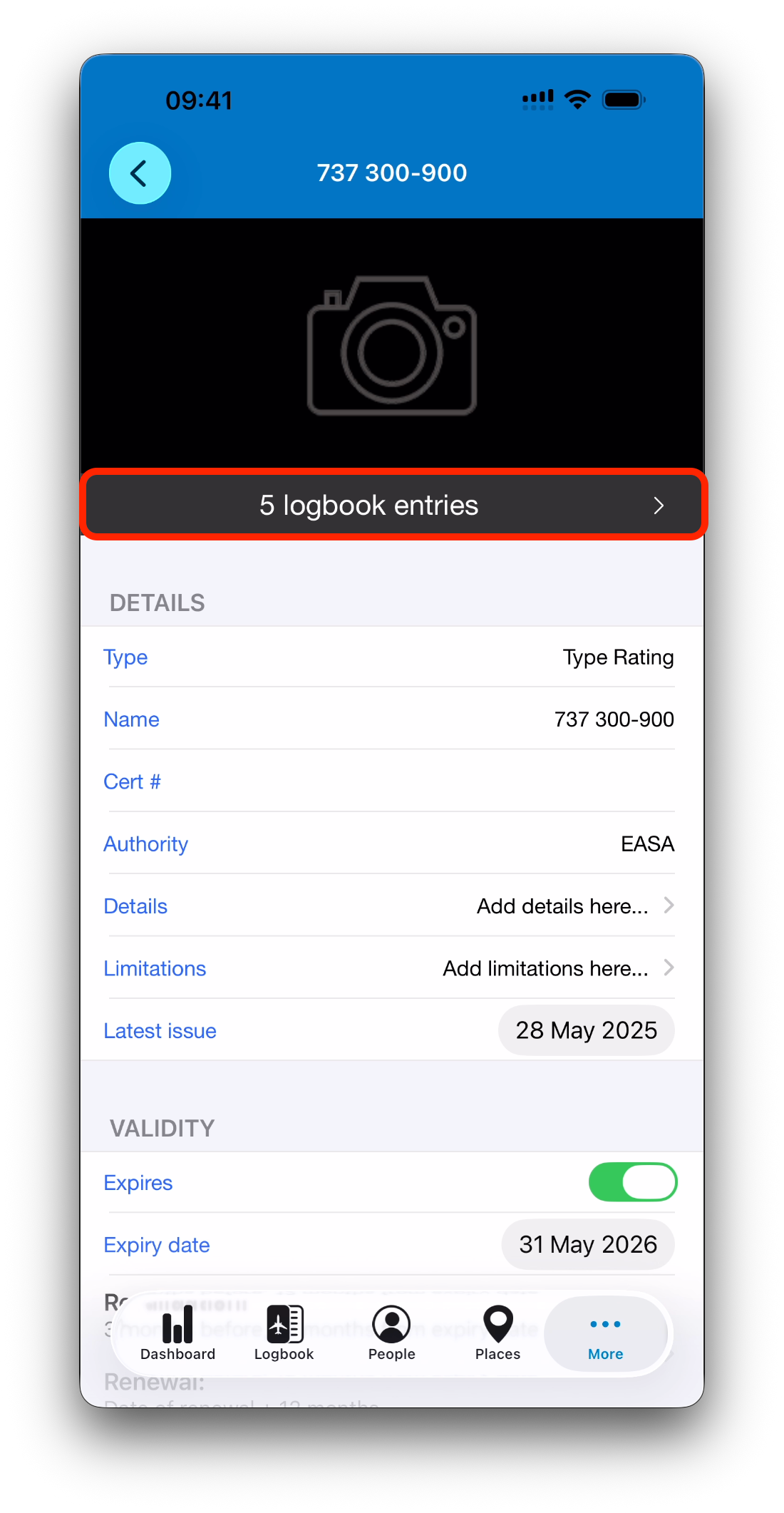
In the detail view of an existing certificate, IPL displays a summary bar showing the total of entries associated with the certificate.
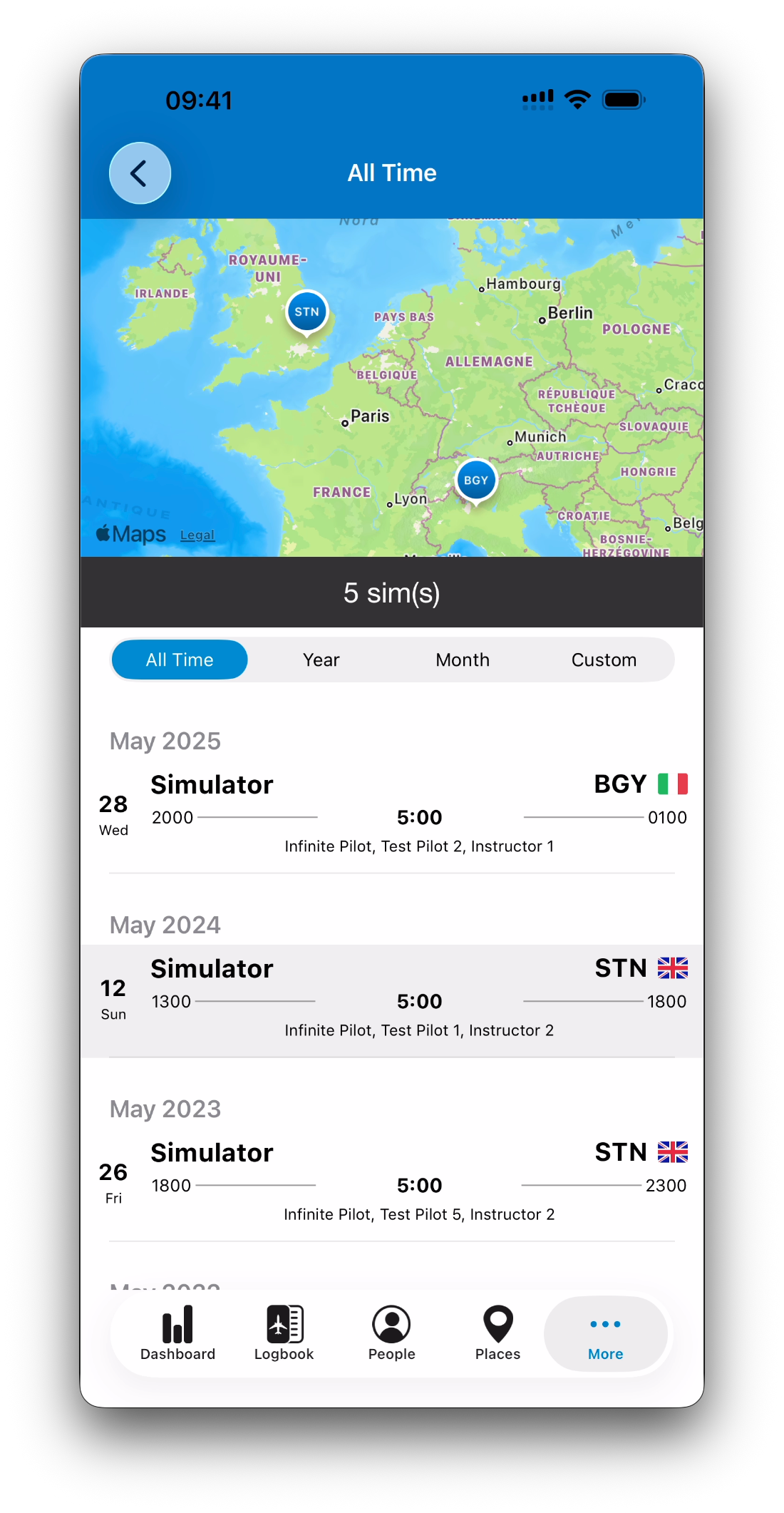
Tapping this bar opens a dedicated history screen where you can review:
The entries that renewed or revalidated the certificate
The timeline of activity over a selected period
A map view when locations are available
This makes it easy to visualize how and when a qualification has been maintained.
Current Status vs Historical Record
A key design principle in IPL is:
The certificate shows your current status
The logbook entries preserve your full past
This ensures that even years later, you can always understand:
When a certificate was renewed
What expiry date applied at that moment
How your qualification evolved over time
Without duplicating certificates or losing history.
What’s Next
Now that certificates are fully understood, let’s move to the Dashboard overview, where maps, statistics, and filters help you visualize and analyze your flying activity.
➡️ Continue with Dashboard Overview: Maps, Stats & Filters