Validity Rules: Expiry, Renewal & Revalidation
Infinite Pilot Logbook allows certificates to define structured validity rules, so expiry dates can be calculated consistently when certificates are renewed or revalidated over time.
Last updated 7 months ago
Why Validity Rules Matter
Many logbooks store certificate expiry dates manually.
In IPL, certificates can also include validity rules, allowing the system to:
Determine whether a certificate expires
Define how long it remains valid
Support revalidation windows
Apply consistent renewal logic across your logbook
These rules form the foundation of IPL’s certificate lifecycle system.
Expiring vs Non-Expiring Certificates
Not all certificates expire.
Some qualifications remain valid indefinitely, while others require periodic renewal.
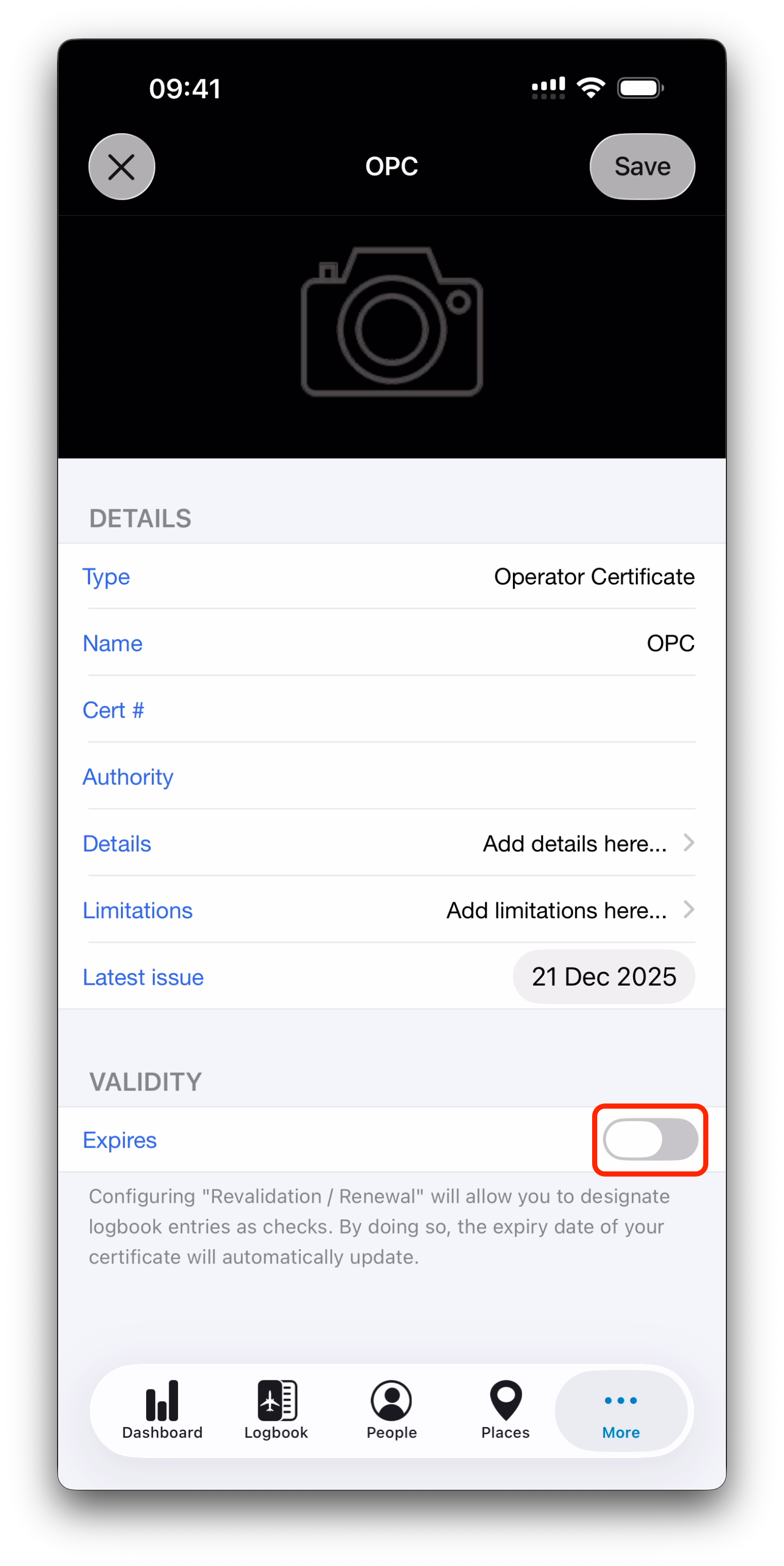
In each certificate, IPL provides an Expires switch:
Disabled → the certificate does not expire
Enabled → the certificate has an expiry date and validity rules
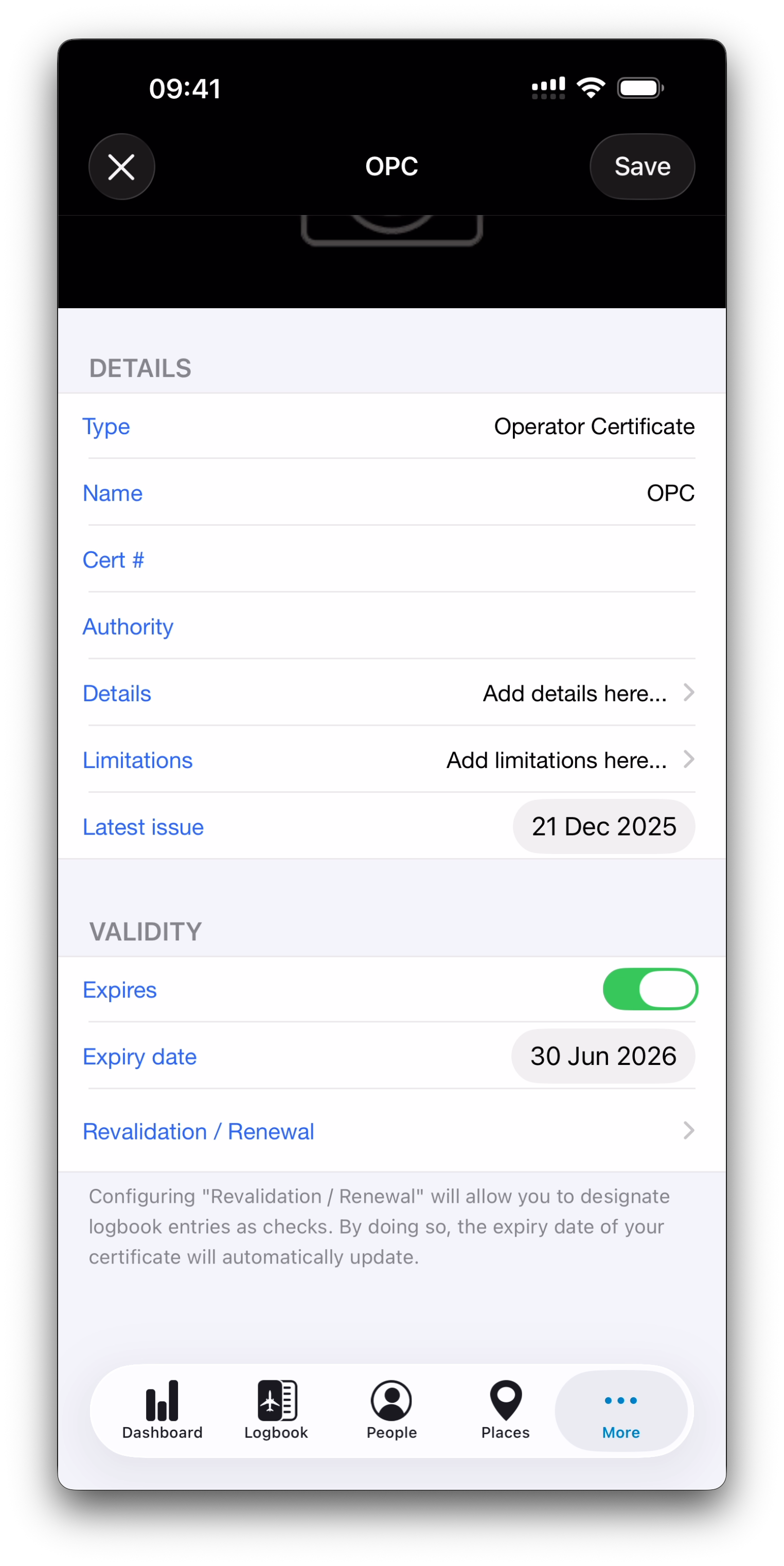
When Expires is turned on, additional fields become available.
Setting an Expiry Date
For expiring certificates, you can define the current:
Expiry Date
This represents the present validity limit of the certificate.
Future expiry dates will be calculated from renewal or revalidation events logged over time.
Revalidation Rules
Some aviation certificates can be revalidated shortly before they expire.
When revalidation is enabled, IPL lets you configure:
Revalidation Window
Defines how long before the expiry date the certificate may be revalidated.
Example:
A certificate expiring in June may be revalidated starting 3 months before expiry.
Revalidates For
Defines how long the certificate remains valid from the expiry date after revalidation.
Example:
Revalidation extends the certificate by 12 months from its original expiry date.
This matches the common aviation principle: Revalidation preserves the original cycle.
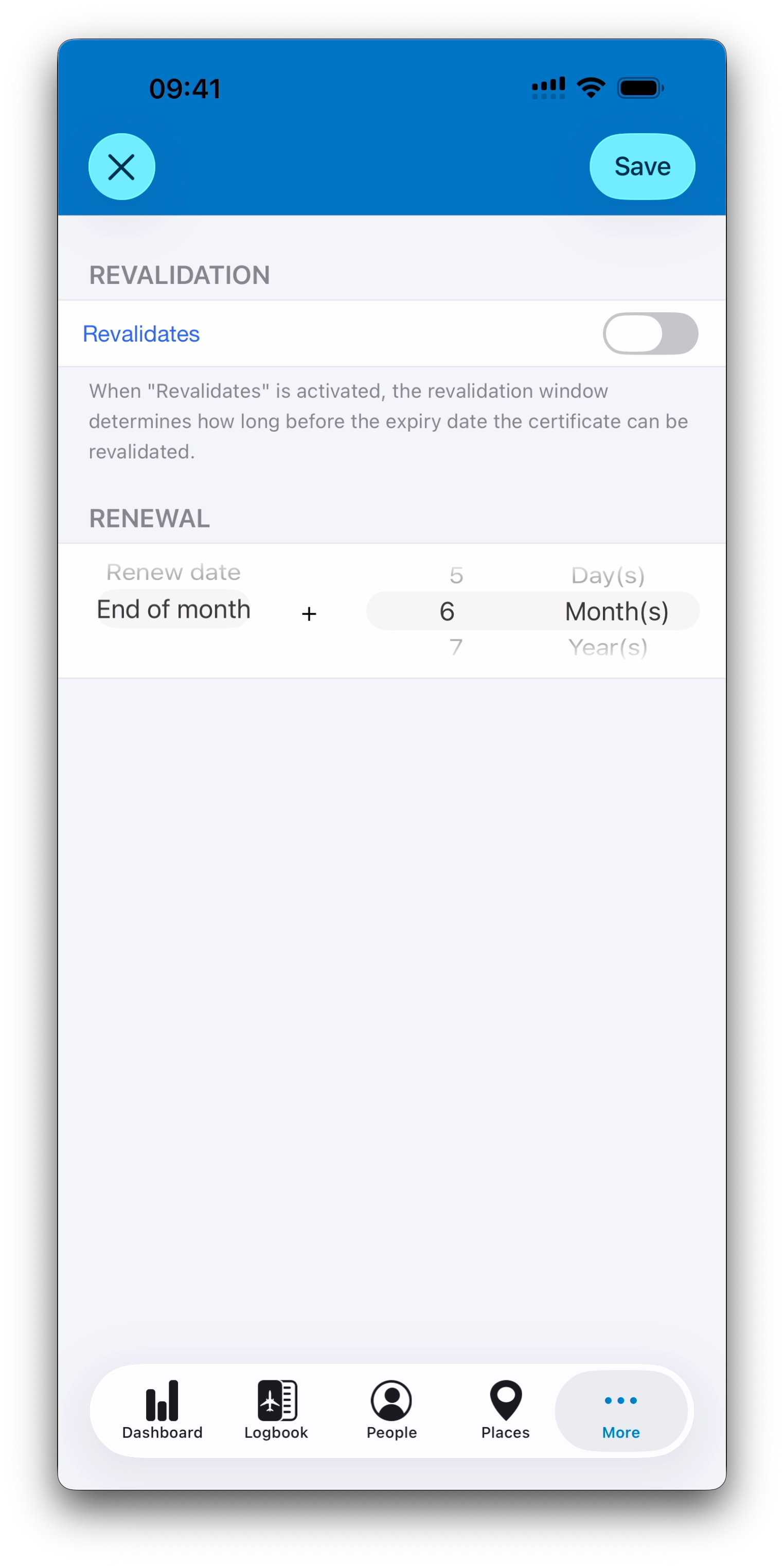
Renewal Rules
If a certificate is renewed after expiry (or outside the revalidation window), validity is often recalculated differently.
IPL supports renewal rules based on the renewal event, including:
Renewal Date + Validity Period
The new expiry date is calculated from the exact renewal date.
Example:
Renewal on 15 January + 12 months → expires on 15 January next year.
End of Month + Validity Period
The expiry date is calculated from the end of the renewal month, regardless of the exact day.
Example:
Renewal on 15 January + 12 months → expires on 31 January next year.
This option is especially useful for certificates that follow end-of-month regulatory validity rules.
Unlike revalidation, Renewal starts a new validity cycle from the renewal event itself.
Summary of Revalidation vs Renewal
Revalidation
Extends validity from the original expiry date
Typically possible only within a defined window before expiry
Renewal
Creates a new validity period starting from the renewal date
Often used after expiry or outside the revalidation window
Both mechanisms can coexist for the same certificate, depending on regulatory rules.
Editing Validity Parameters
All validity rules in IPL can be:
Predefined for common certificate types
Fully customized by the user
You remain in complete control of how each certificate behaves.
Medical Certificates
Medical certificates include additional logic, such as:
Age-based validity brackets
Associated medical exams with their own validity
➡️ These medical-specific validity extensions are covered in a dedicated article. See Medical Certificates & Exams for more information.
What’s Next
➡️ Continue with Using Certificates in Logbook Entries
➡️ Or learn more about Medical Certificates & Exams