Medical Certificates & Exams
Medical certificates in Infinite Pilot Logbook include additional logic beyond standard qualifications, allowing you to track both certificate validity and required medical examinations with age-based rules.
Last updated 7 months ago
Medical Certificates in IPL
Medical certificates follow the same general principle as other certificates:
They can expire
They can be renewed through logbook activity
They maintain a complete history over time
However, medical validity often depends on the pilot’s age, and medical visits may include multiple recurring examinations. IPL provides dedicated tools for this.
Age-Based Validity Periods
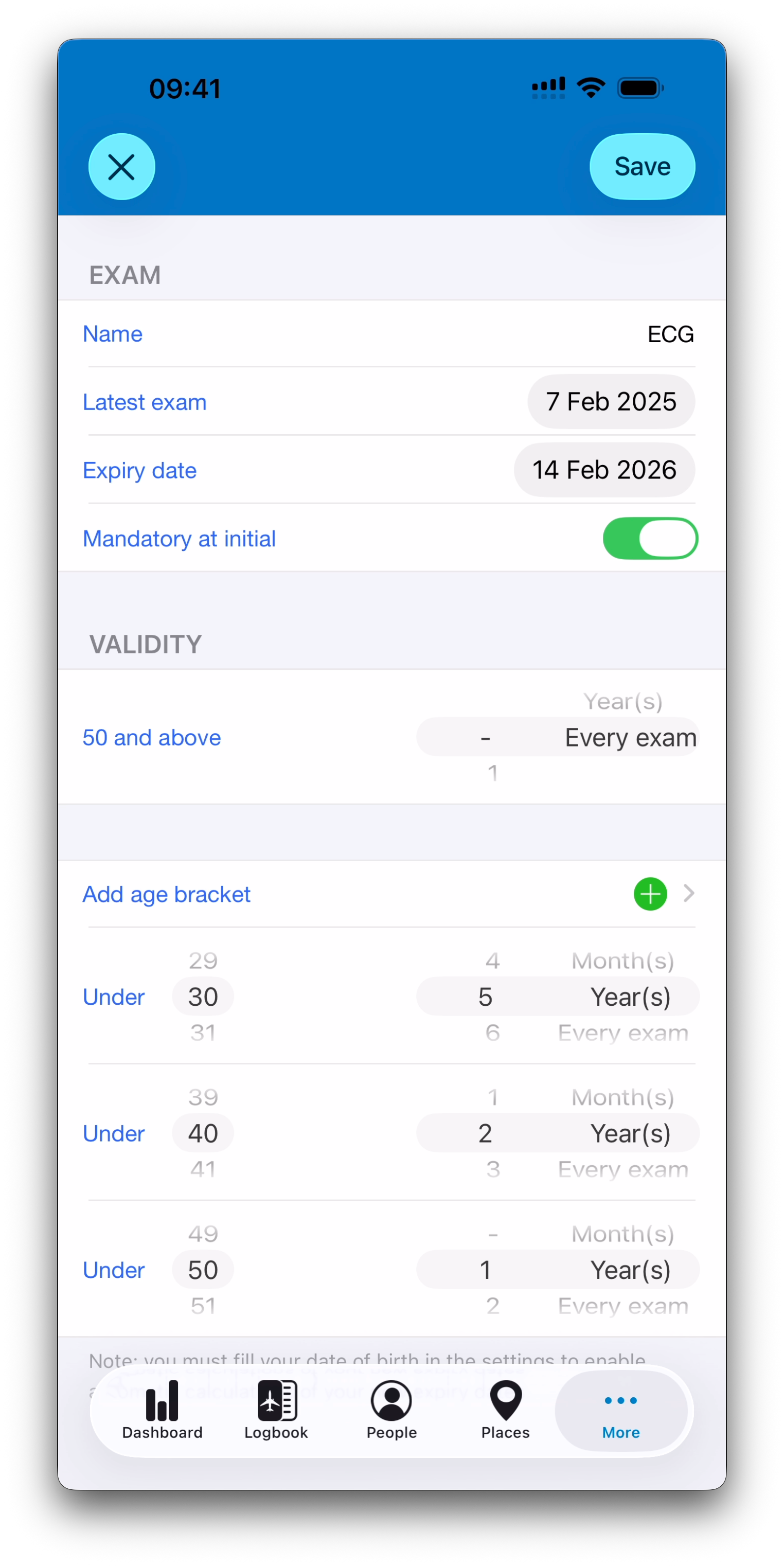
Unlike most other certificates, medical certificates can define different validity periods depending on the pilot’s age.
For example:
Under 60: valid for 12 months
60 and above: valid for 6 months
To enable automatic age-based calculations, IPL requires your date of birth to be filled in.
You can enter it from:
Settings → Profile, or
People → Me
Check Profile & Privacy Rules for more information.
Medical Exams Tracking
Medical certificates can include a list of associated medical exams, such as:
ECG
Audiogram
Hearing test
Blood pressure
Each exam can have its own validity or frequency requirement.
Exams also include an additional setting:
Mandatory at Initial
This indicates that an exam must be completed during the initial medical issue, even if it is not required at every later visit.
Exam Frequency and Validity Options
For each medical exam, IPL supports several requirement types:
If indicated
The exam is not normally required and has no expiry date.
First exam
The exam is required only once, at the first medical visit after reaching a given age bracket.
Month(s) / Year(s)
The exam has its own validity period and expiry date.
Every exam
The exam must be performed at every medical visit.
These rules allow IPL to reflect real-world aviation medical requirements.
Adding Medical Certificates in Logbook Entries
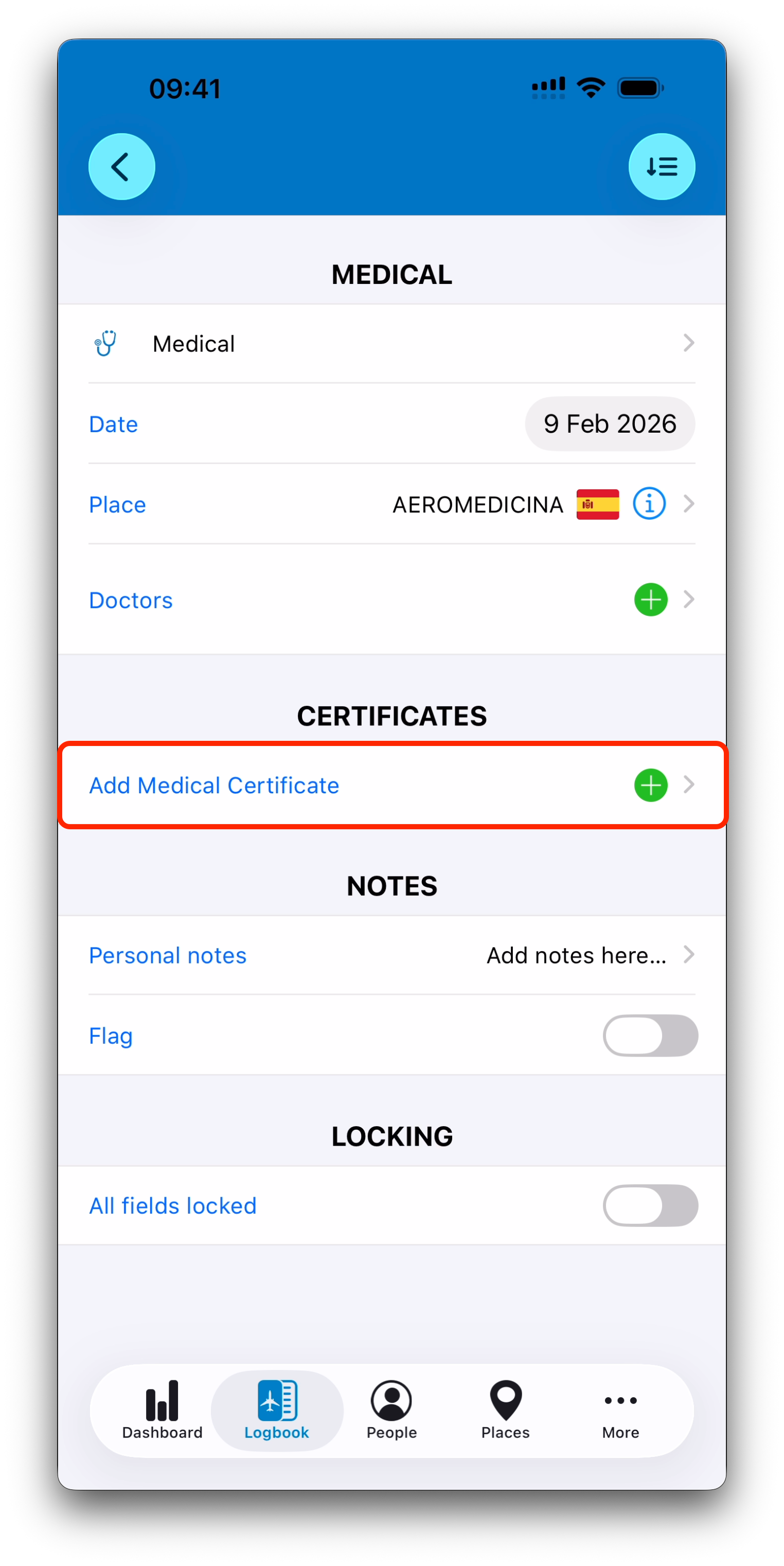
Medical logbook entries use a dedicated CERTIFICATES section with an Add Medical Certificate button.
When tapped:
Only medical certificates are shown
Certificates can be created on the fly
The creation tree starts directly inside the Medical branch
This ensures medical certificates are handled separately from other qualification checks.
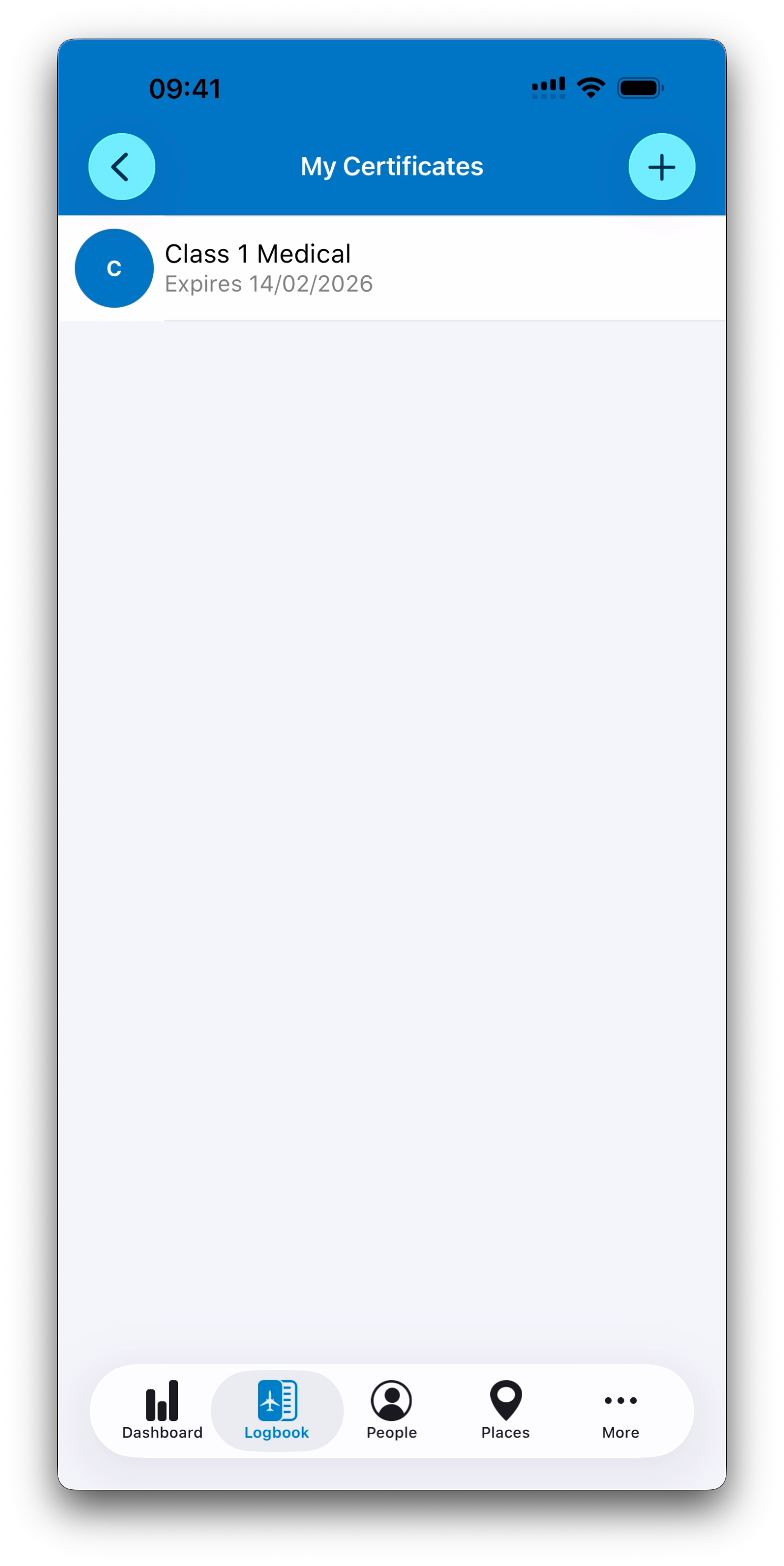
The Medical Visit Screen
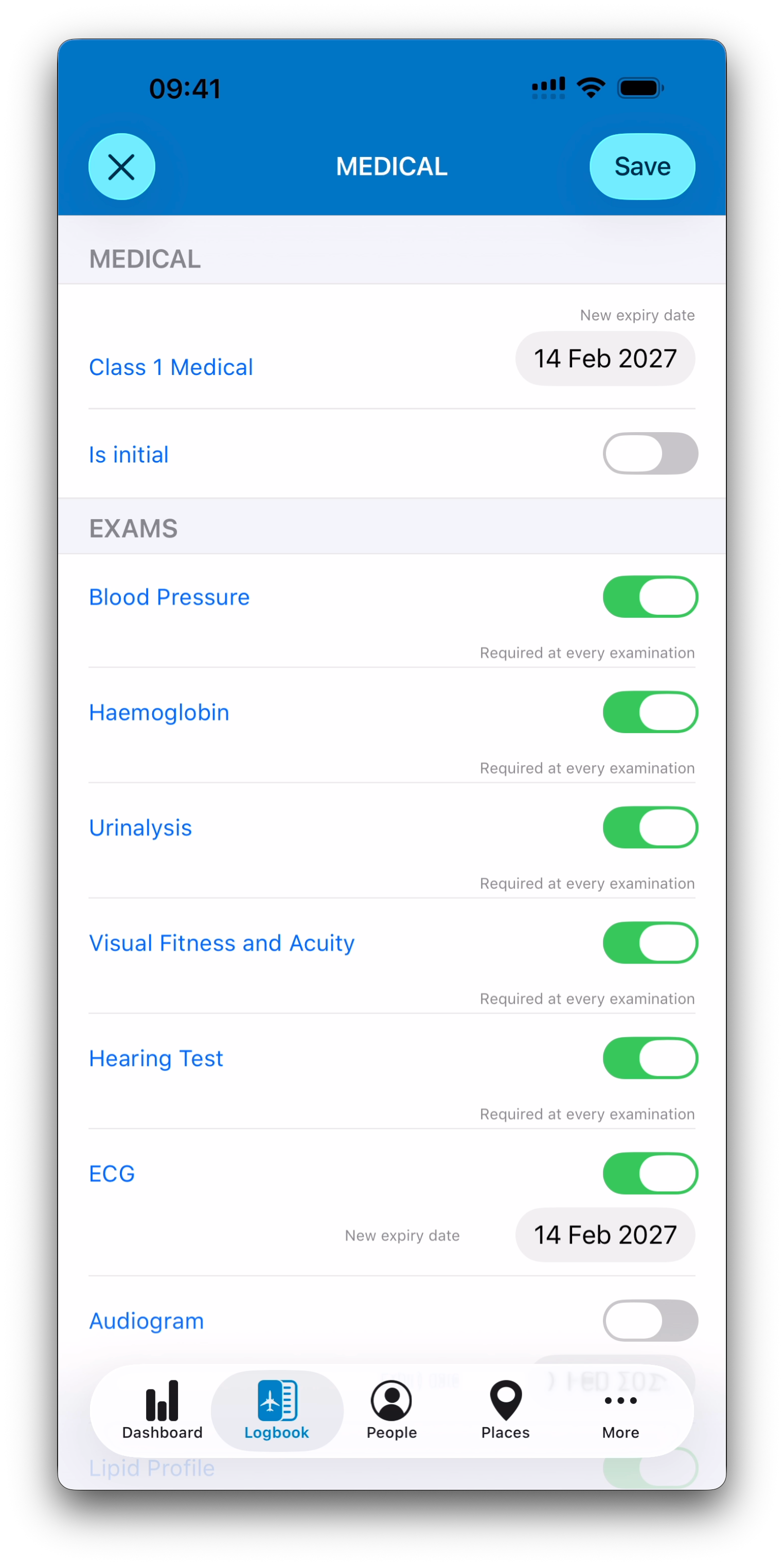
After selecting a medical certificate, IPL displays an intermediate screen that is unique to medical entries.
This screen allows you to:
Select which exams were performed
Mark the entry as an initial medical issue when applicable
Review and adjust calculated expiry dates before saving
Add limitations that may be copied to the certificate
This workflow does not exist for other certificate types.
Automatic Exam Selection and Alerts
IPL assists you by automatically selecting exams that appear required for the visit, based on:
Exams marked Mandatory at Initial when “Is initial” is selected
Exams required at every examination for your age bracket
Exams required only at the first exam of a new age bracket
Your previous medical entry history for the same certificate
If you untick an exam that seems mandatory, IPL will display an alert asking you to confirm.
Saving and Updating Certificate Status
A Save button is available on the Medical Visit screen.
When you save, IPL asks whether you want to update the medical certificate and its associated exams and limitations entered during the visit.
Expiry dates can be adjusted manually before saving within this screen.
After saving:
The updated medical certificate appears in the entry summary
The new expiry date is displayed as a label
To make changes, you can reopen the Medical Visit screen from the certificate row
What’s Next
➡️ Continue with Certificate Activity & History