Other Entry Types
In addition to flights and simulator sessions, Infinite Pilot Logbook allows you to log other common aviation duties and activities. This article explains how to use Positioning, Standby, Reserve, Medical, and Other entry types, and when to use each of them.
Last updated 8 months ago
Positioning
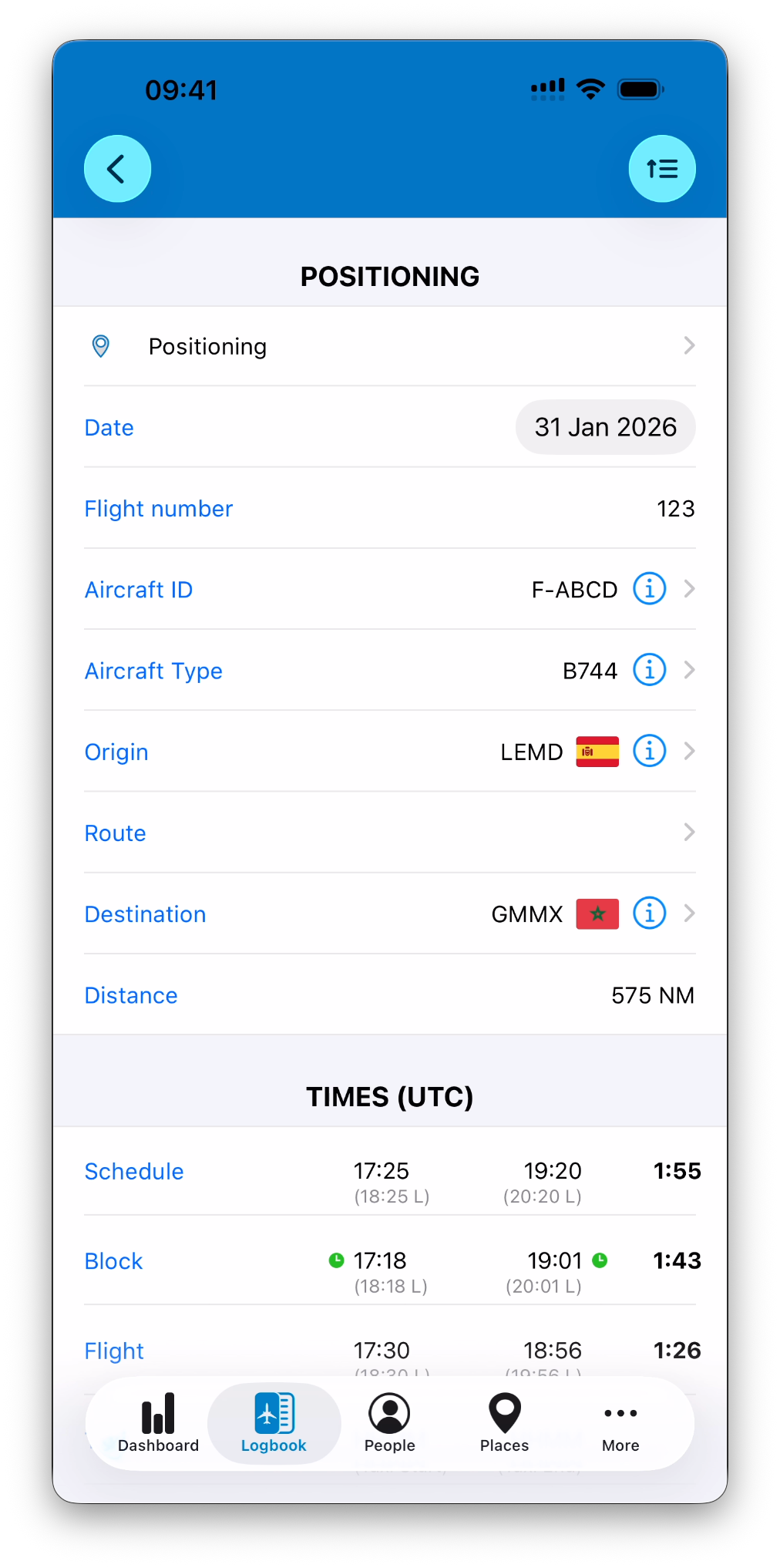
Positioning entries are used to log flights where you are traveling as crew, but not operating the aircraft.
POSITIONING Section
Positioning entries share many fields with flight entries. If you are not familiar with flight entries, it is strongly recommended to check Add a Flight Manually .
Date
Flight number (when applicable)
Aircraft ID and Aircraft Type
Origin, route, and destination
Automatically calculated distance
These fields allow positioning flights to be displayed consistently in the logbook list.
TIMES Section
You may enter:
Scheduled Off Block and On Block times
Actual block times
Takeoff and landing times
Taxi-start and taxi-end times
Duty and FDP times
Duty and FDP logic behaves the same way as for flight entries, including support for multi-entry duty days.
➡️ Learn more in Understanding Time Calculations
CREW and WEATHER Sections
Crew and weather information can be recorded in the same way as for flight entries.
NOTES and LOCKING
Personal notes and flags can be added
All fields can be locked once the entry is finalized
Standby Entries
Standby entries are used to log periods where you are assigned to standby duty.
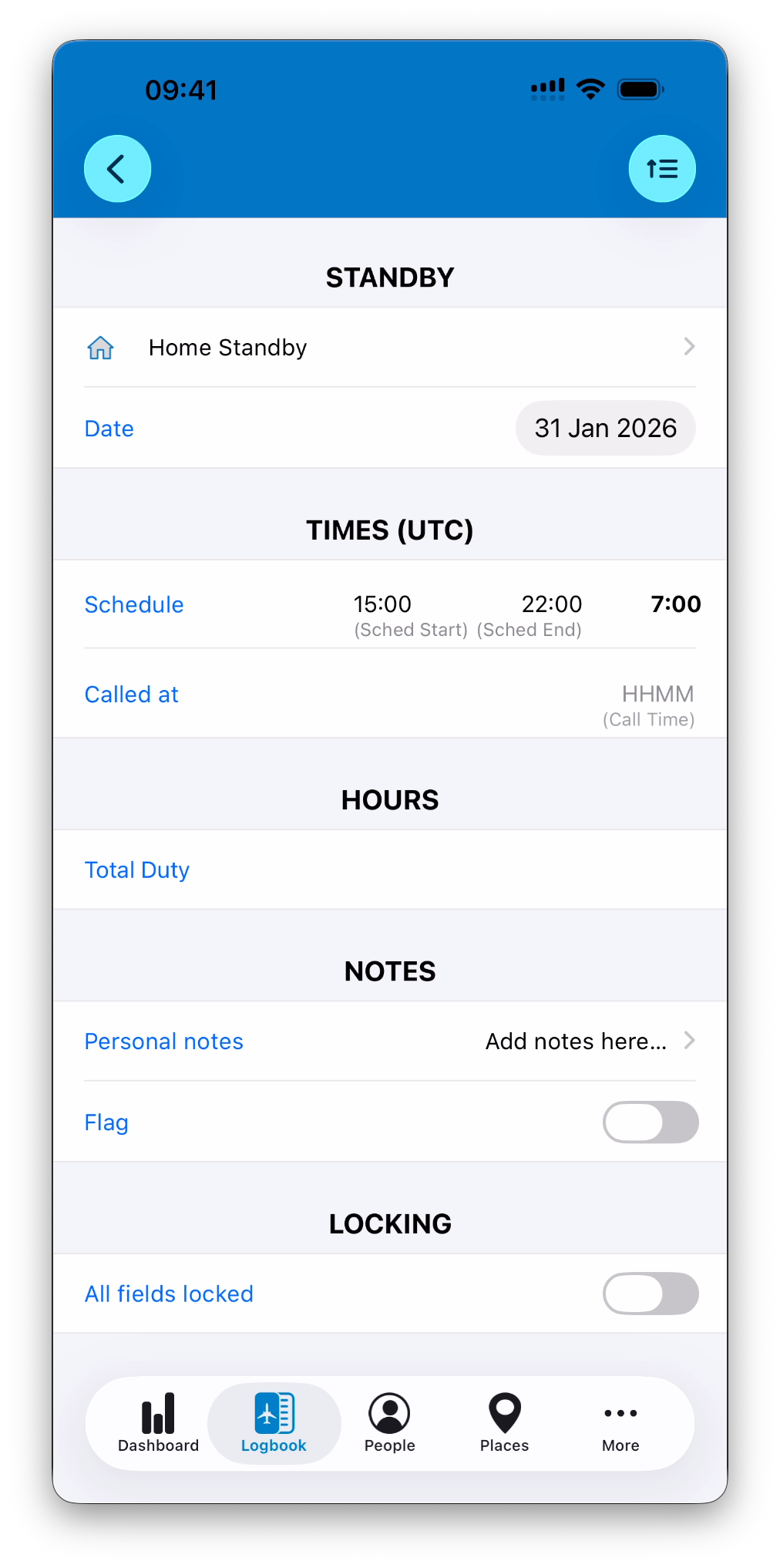
IPL distinguishes between Home Standby and Airport Standby.
Home Standby
Used when standby is performed at home.
STANDBY Section
Date of the standby
TIMES Section
Scheduled start and end times
“Called at” time, when applicable
HOURS Section
Total Duty credited for the standby
NOTES and LOCKING
Personal notes and flags
Full locking available once finalized
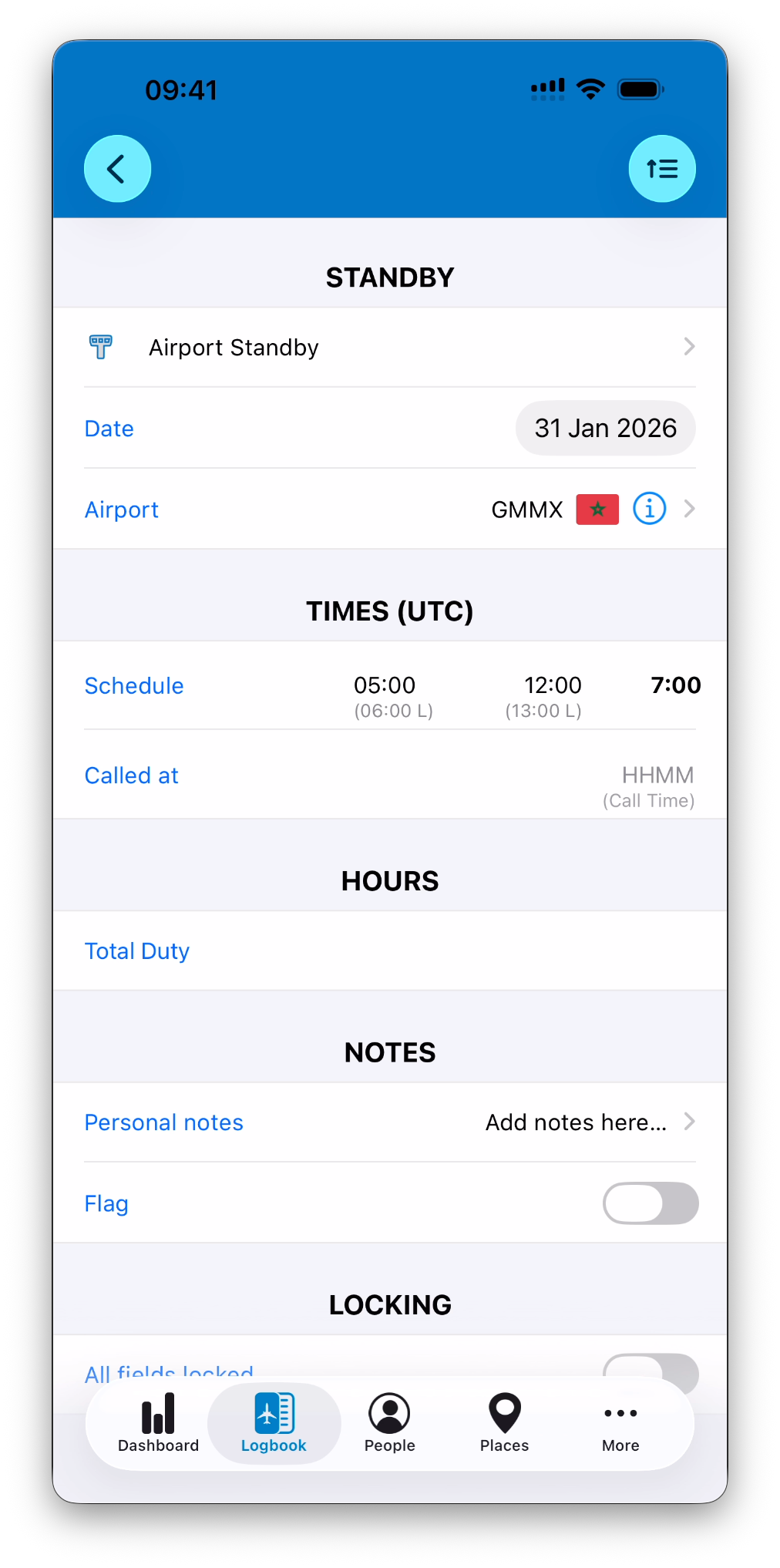
Airport Standby
Used when standby is performed at a specific airport.
STANDBY Section
Date
Airport where the standby is performed
All other sections behave the same as for Home Standby:
Scheduled times
Called at time
Total Duty
Notes and locking
Reserve Entries
Reserve entries are used to log on-call duty periods.
As with standby, IPL distinguishes between Home Reserve and Airport Reserve.
Home Reserve
Used when reserve is performed from home.
RESERVE Section
Date of the reserve
TIMES Section
Scheduled start and end times
“Called at” time, when applicable
HOURS Section
Total Duty credited for the reserve
NOTES and LOCKING
Personal notes and flags
Full locking available
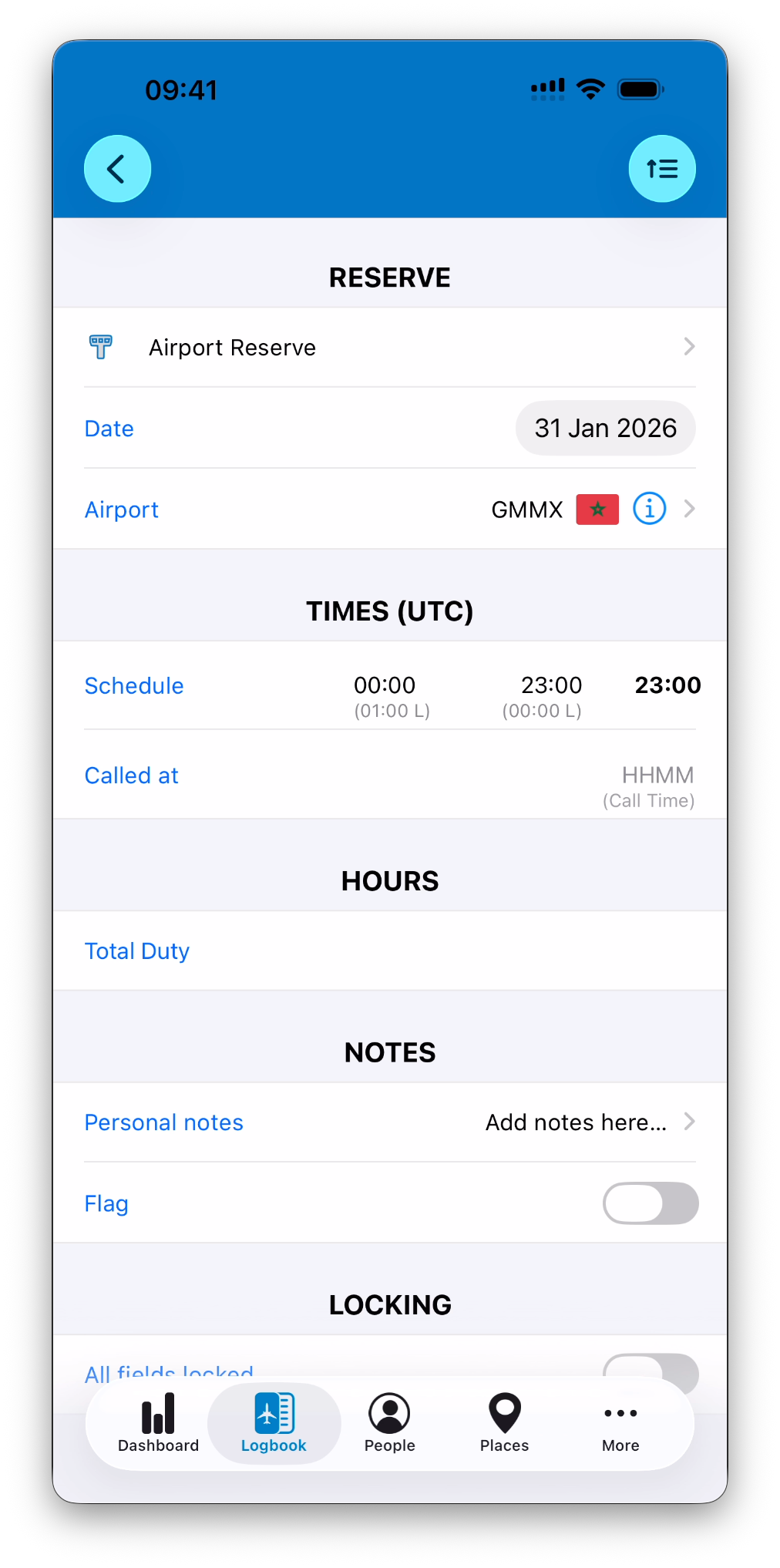
Airport Reserve
Used when reserve is performed at a specific airport.
RESERVE Section
Date
Airport where the reserve is performed
All other sections behave the same as for Home Reserve.
Medical
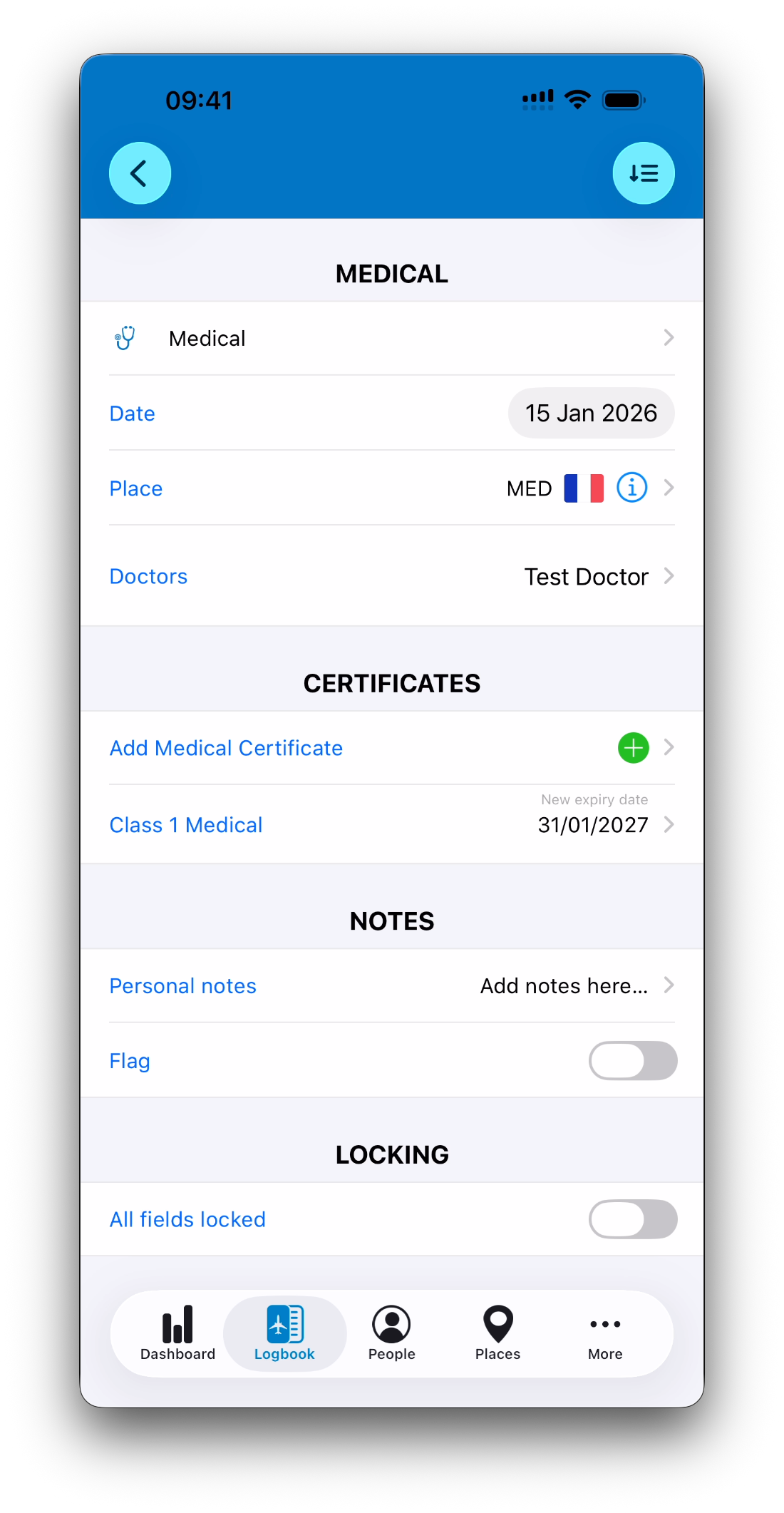
Medical entries are used to log medical examinations and renewals.
MEDICAL Section
Date of the medical
Place
Doctors (as an ordered list of people)
CERTIFICATES Section
Medical certificates can be selected for renewal.
If a certificate has revalidation parameters and medical exams configured:
IPL calculates the new expiry date for the certificate
IPL asks you to mention which medical exams were performed and calculates new expiry dates for those exams when applicable
You are prompted to update the certificate and exams accordingly
This is typically used for certificates such as Class 1, Class 2, or LAPL medicals.
➡️ Learn more in Medical Certificates & Exams
NOTES and LOCKING
Personal notes and flags
Full locking available
Other
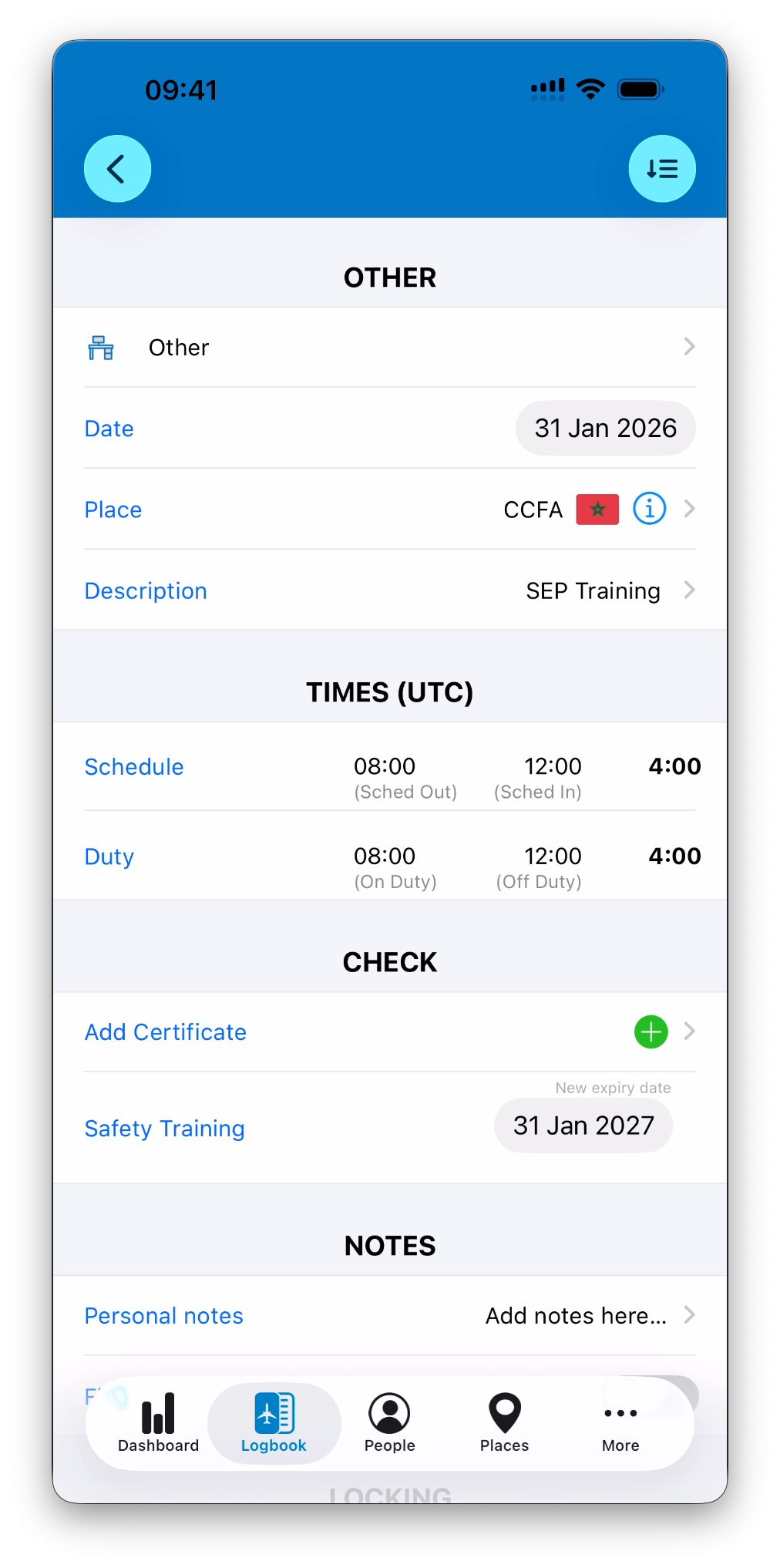
The Other entry type is used for duties that do not fall into any predefined category.
Examples include:
Office duty
Fire training
Ground courses
Company-specific duties
OTHER Section
Date
Place
Description of the duty
TIMES Section
Scheduled times
Actual duty times
CHECK Section
Certificates can be renewed if the duty qualifies as a check or training.
NOTES and LOCKING
Personal notes and flags
Full locking available
Choosing the Right Entry Type
Use:
Flight for operating flights
Simulator for simulator sessions
Positioning for non-operating flights
Standby for assigned availability periods
Reserve for on-call duty
Medical for medical examinations
Other for any duty not covered above
Each entry type ensures your logbook remains accurate, readable, and compliant with your operational needs.
What’s Next
After logging all types of entries, you may want to:
Understand how they are displayed in the logbook list
Review how duty and time calculations are performed
Lock or sign finalized entries
➡️ Continue with Understanding the Logbook List
➡️ Explore Understanding Time Calculations
➡️ Learn about Edit, Lock & Sign Entries