Profile & Privacy Rules
Your pilot profile in Infinite Pilot Logbook is used throughout the app to connect your logbook activity, certificates, and statistics to your identity. IPL also includes a dedicated Privacy Rules screen, allowing you to control what basic information other IPL members may see when searching for you.
Last updated 7 months ago
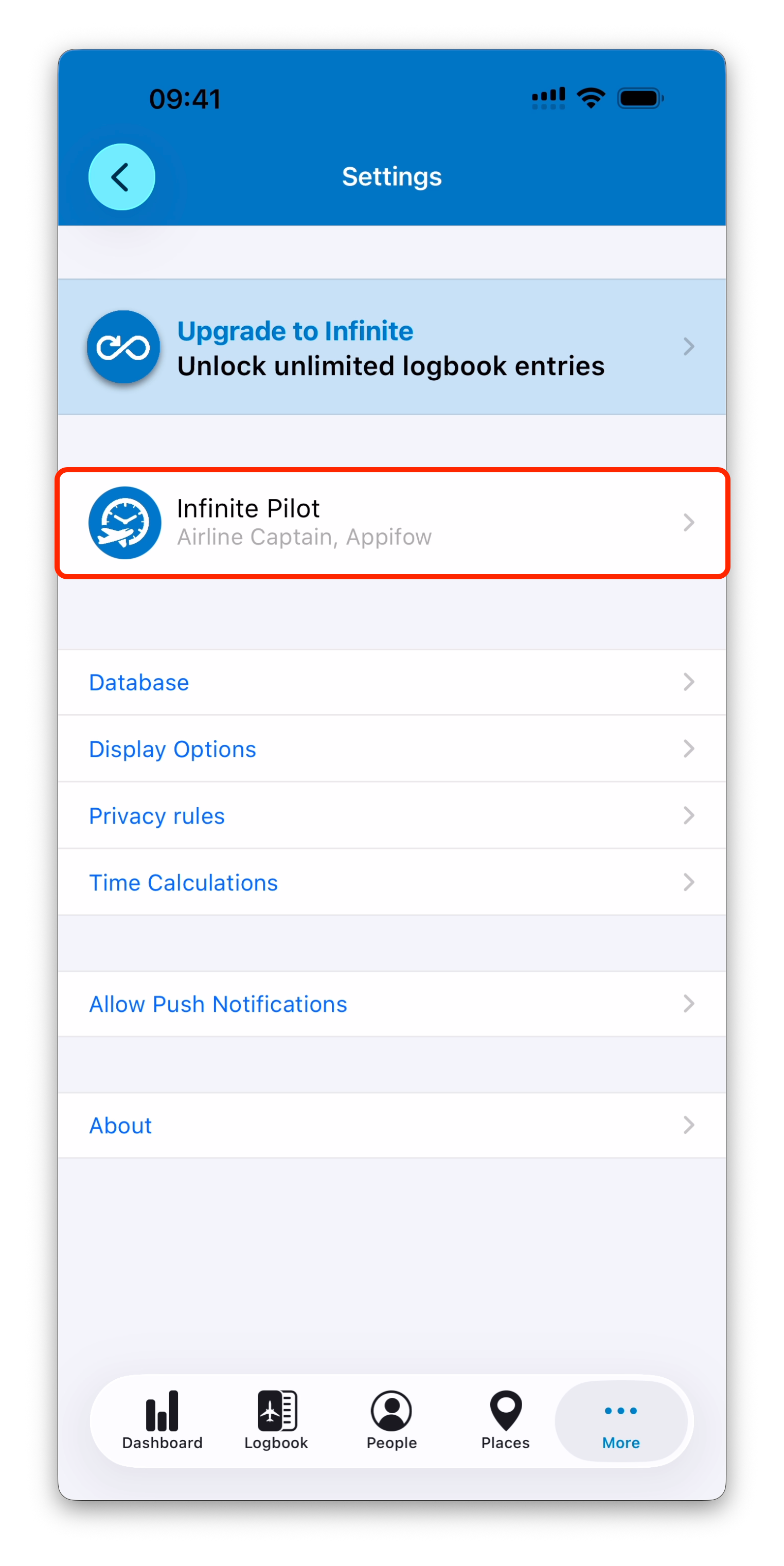
Accessing Your Profile
You can access your profile from:
More → Settings → Profile
Your profile represents you as a pilot inside IPL, and is used when logging flights, tracking qualifications, building statistics, and managing your personal database.
Profile Information
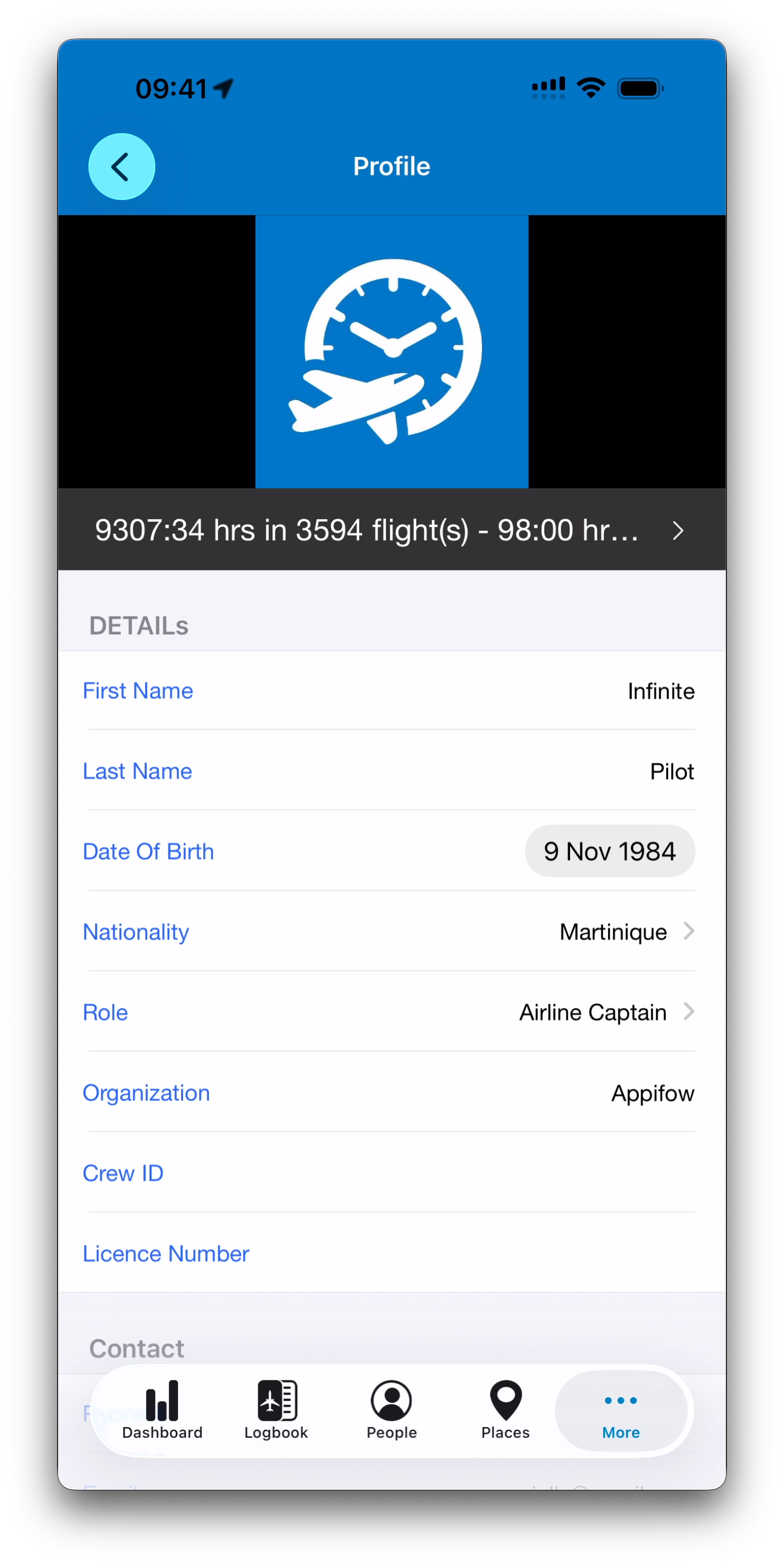
Inside the Profile screen, you can review or edit key fields such as:
Name
Role
Organization or airline
Date Of Birth: useful for medical certificates calculations (see Medical Certificates & Exams for more information)
Other personal details used across IPL
Filling in these fields improves consistency across imports, crew selections, certificate tracking, and statistics.
Activity Summary
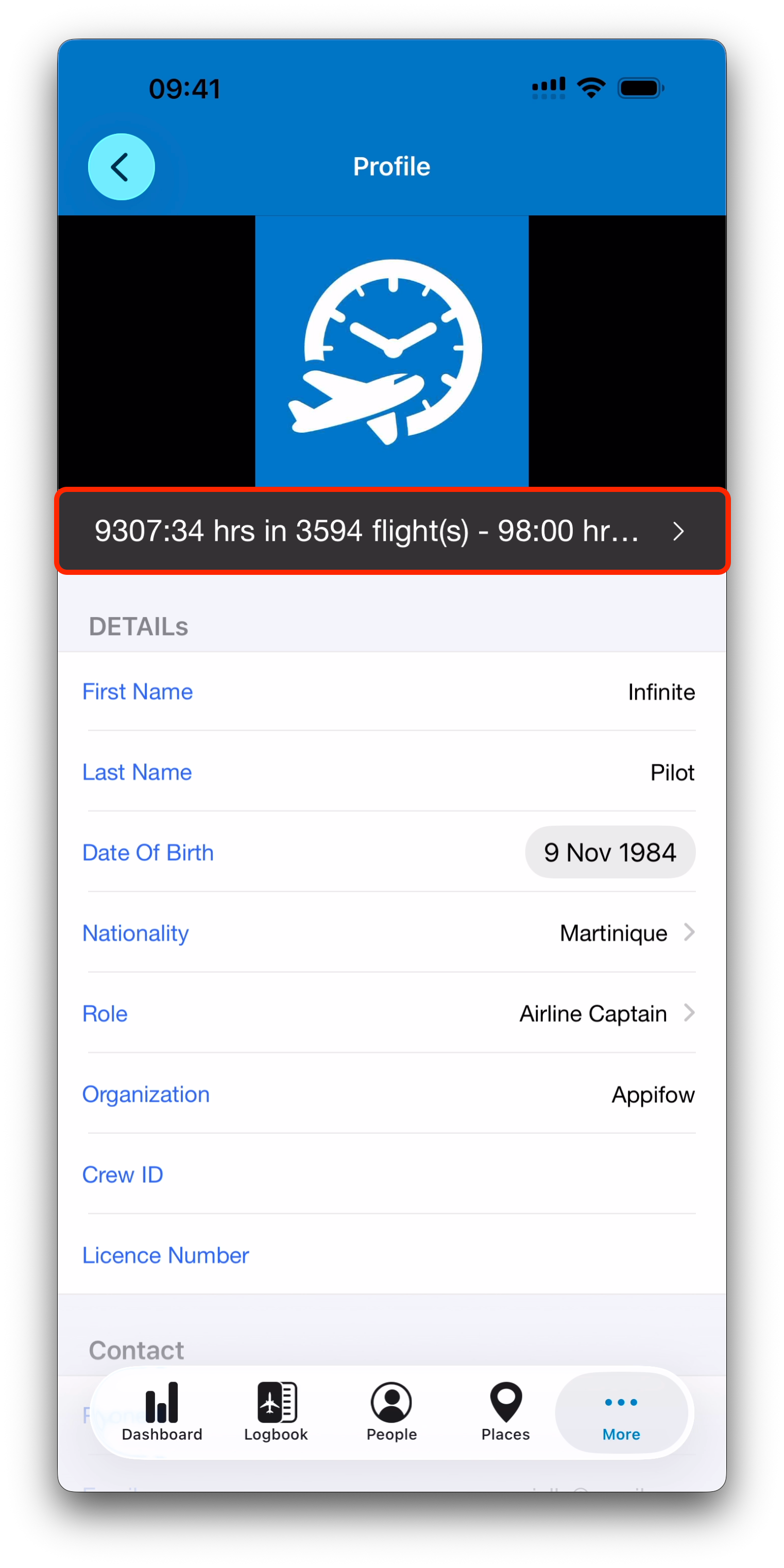
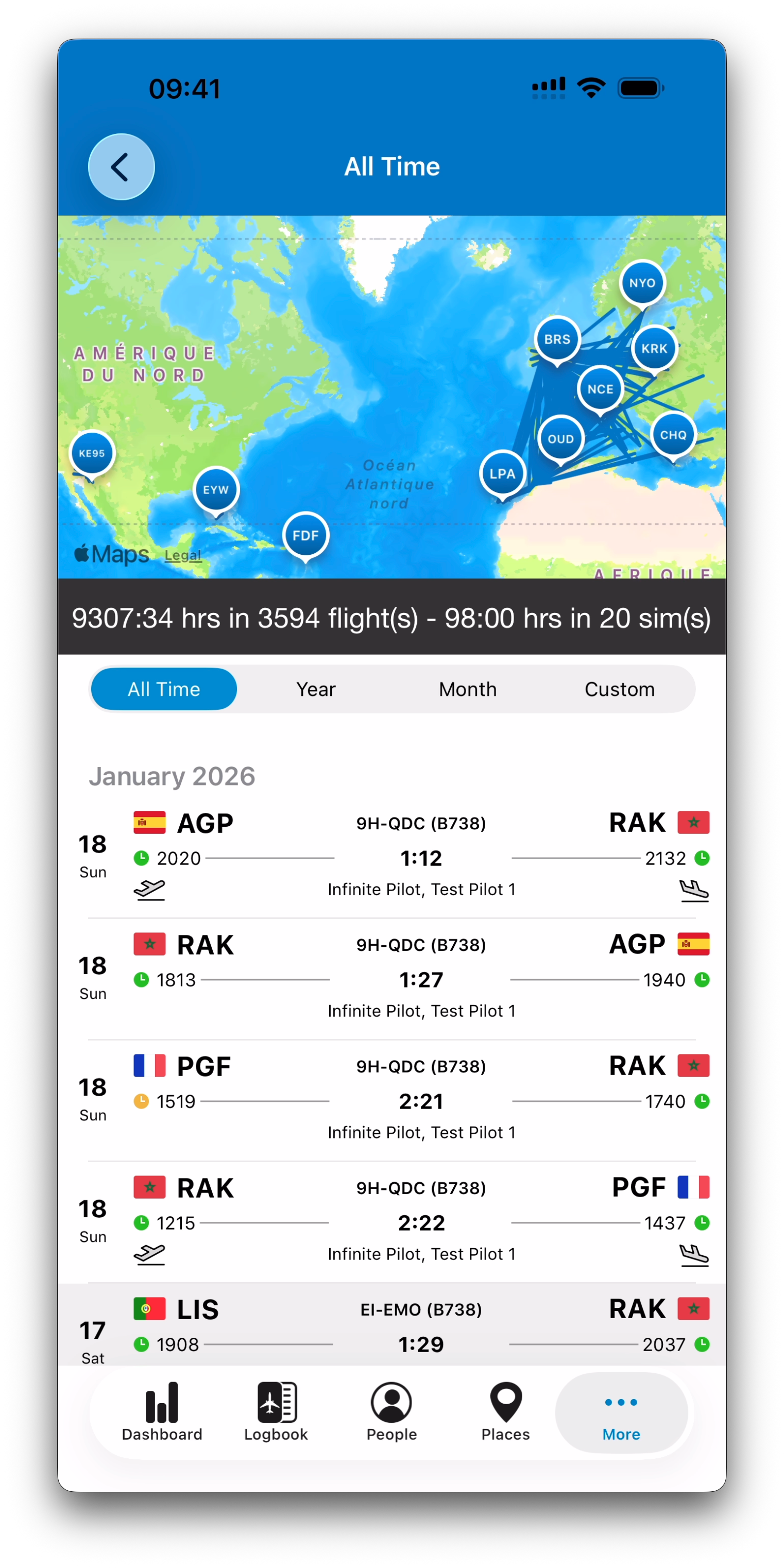
Just below your profile picture, IPL displays a summary bar showing your overall logbook activity, such as:
Total flight and simulator time
Number of entries logged
Tapping this summary opens a dedicated statistics view linked to your pilot profile.
Logout and Delete Account
At the bottom of the Profile screen, IPL also provides two account actions:
Logout
The Logout option allows you to sign out of your current account.
Most users will rarely need this, but it can be useful if you:
Use multiple accounts (for example a secondary test profile)
Want to sign out from a device that is not yours
Delete Account
The Delete Account option allows you to request full removal of your IPL account and associated server data.
To prevent accidental loss, IPL does not immediately erase your account automatically.
Instead:
Your account is first deactivated and suspended
A team member confirms the deletion request
Your data is then permanently removed from IPL servers once confirmed
This process ensures account deletion remains secure and intentional.
If you have questions about deletion or data removal, you can contact IPL support from the Help section.
Privacy Rules: Visibility in IPL Member Search
Infinite Pilot Logbook includes an optional feature that helps users find existing IPL members when adding people to their database.
In the People module, when tapping + and typing a name, IPL may display a dedicated section:
IPL Members
This allows pilots to quickly add other members without having to recreate basic information manually.
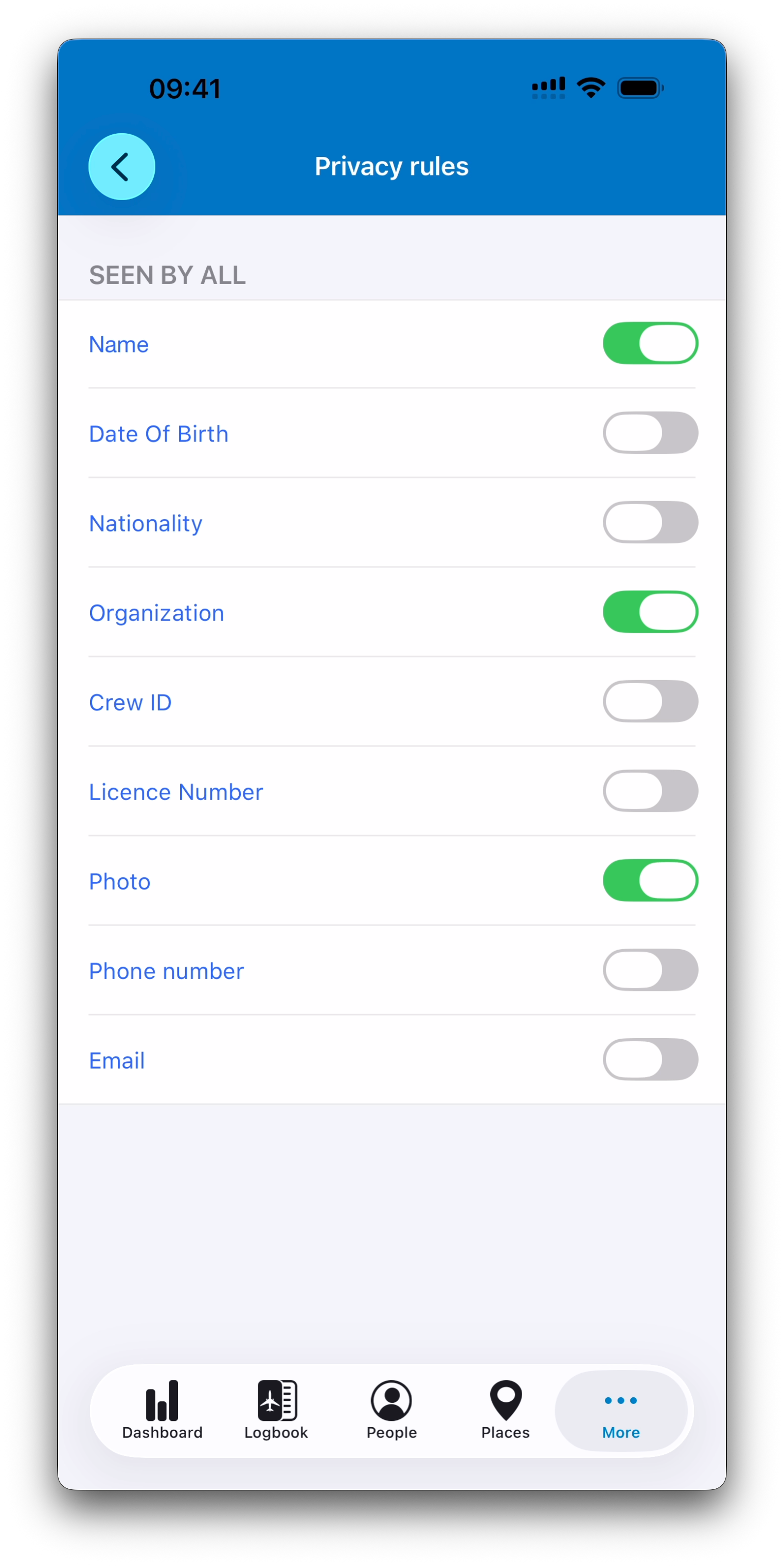
The Privacy Rules screen controls what information from your profile may appear in those search results.
You can access it from:
More → Settings → Privacy Rules
What Information Can Be Shared
The Privacy Rules screen allows you to choose which profile fields may be visible to other IPL members when they search for you.
You can control the visibility of:
Your name
Your date of birth
Your nationality
Your organization or company
Your crew ID
Your licence number
Your profile photo
Your phone number
Your email address
By default, IPL shares:
Name
Photo
Organization
This makes member identification clearer while still limiting the information to basic public profile fields.
Important Notes
Privacy Rules only apply to IPL Member search results when another user adds a person.
This does not affect your private logbook, entries, totals, or certificates.
You can change these settings at any time from the Settings screen.
IPL is designed to keep your logbook data private while still allowing lightweight community features when enabled.
Best Practice
If you prefer not to be discoverable with your full profile details, you may adjust your Privacy Rules early during setup.
This ensures IPL behaves exactly as you expect when other members search for pilots in their People database.
Related Articles
What’s Next
Next, we will look at Display Options, where you can customize units, airport code formats, and other visual preferences across Infinite Pilot Logbook.
➡️ Continue with Display Options