Overview: Settings, Account & Support
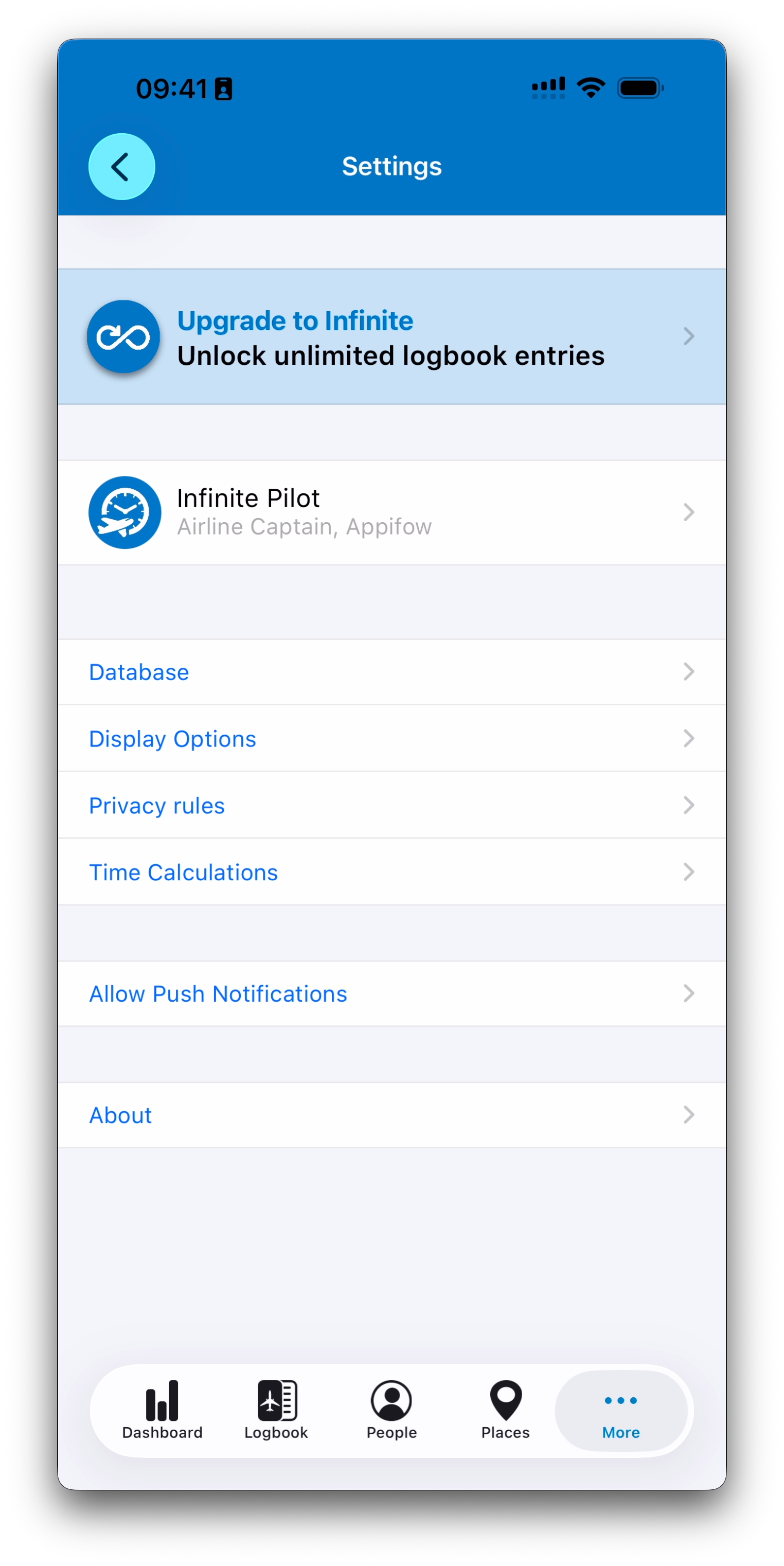
The Settings area in Infinite Pilot Logbook allows you to personalize IPL, manage your profile and privacy, configure key logbook preferences, maintain your database, and access account and support features in one place.
Last updated 7 months ago
Accessing Settings in IPL
You can open the Settings screen from:
More → Settings
This is the central configuration hub of IPL, grouping together the options that affect how the app behaves, how information is displayed, and how your account is managed.
What You Can Do in Settings
Although most of IPL’s core functionality happens inside the Logbook and Database modules, the Settings area provides important tools to tailor the experience to your needs.
Settings are organized into several main categories:
Profile and Account Information
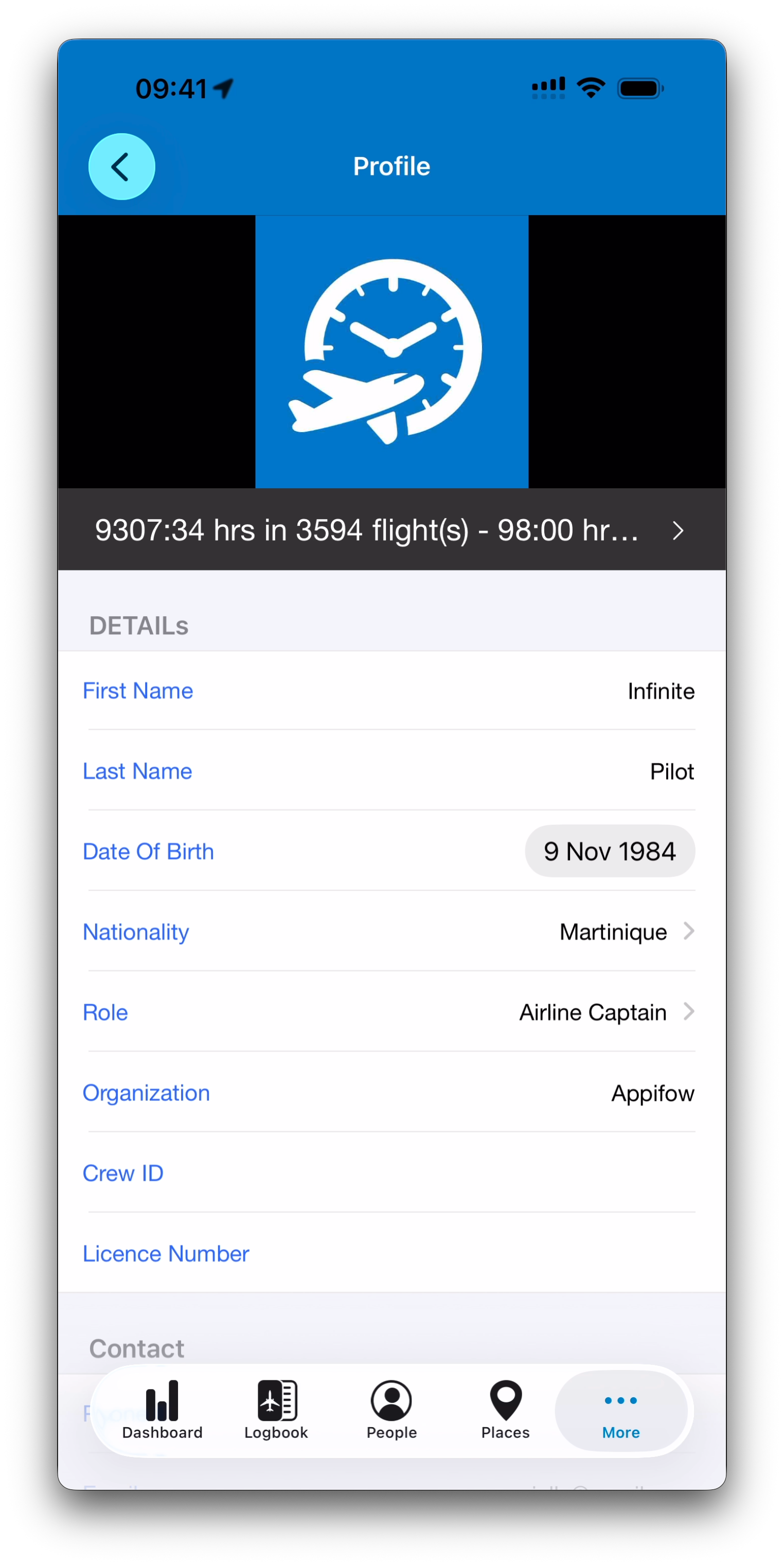
At the top of the Settings screen just below the subscription details, IPL shows your pilot profile.
From there, you can review or edit your personal information such as:
Name
Role
Organization
Other profile details used throughout the app
Your profile is also linked to your statistics and activity summary.
Display and Unit Preferences
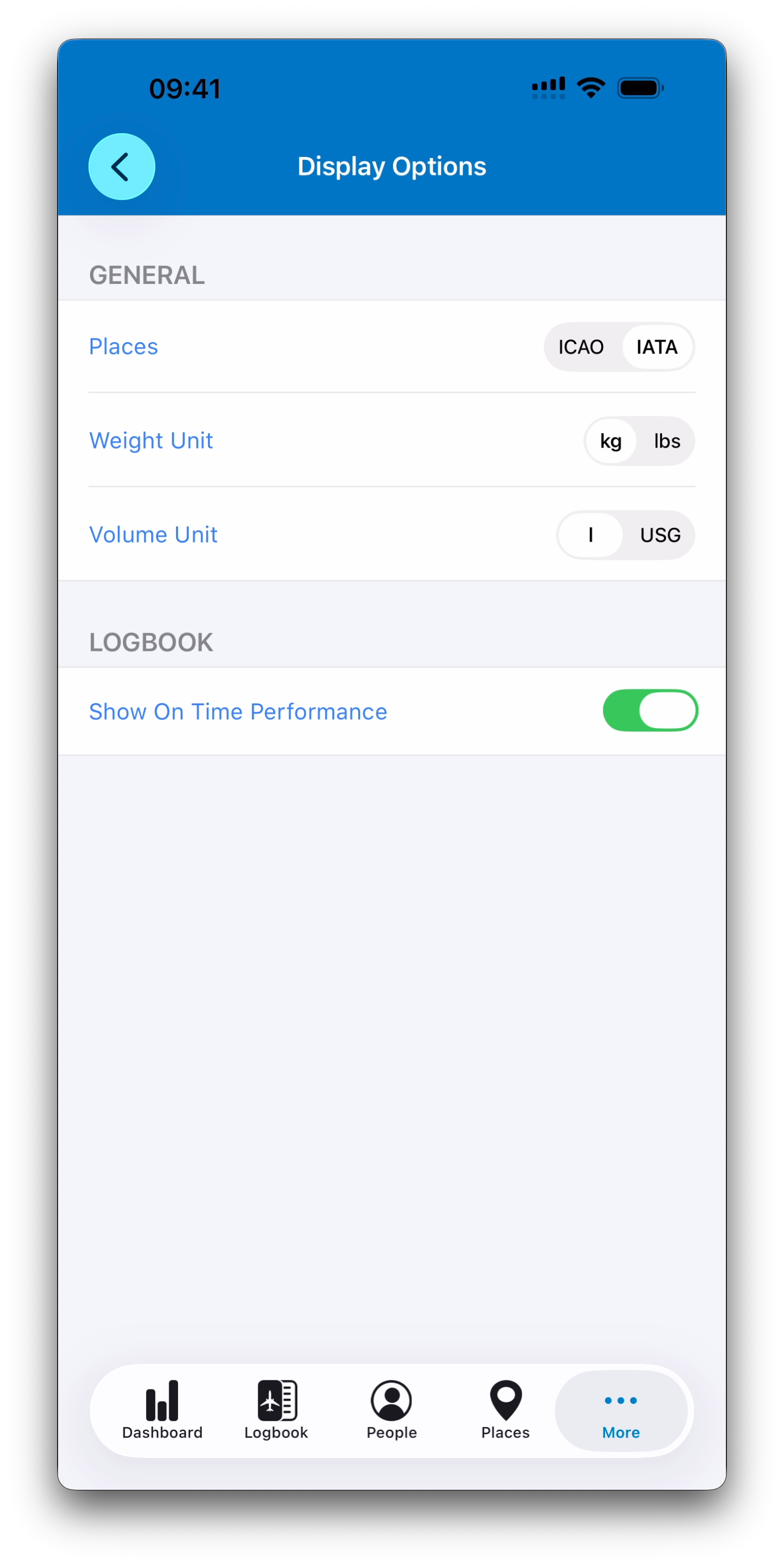
IPL includes several display options to match your habits and regulatory environment.
These settings allow you to adjust:
Airport code format (ICAO or IATA)
Weight units (kg or lbs)
Volume units (liters or US gallons)
Optional logbook display features
Privacy Rules
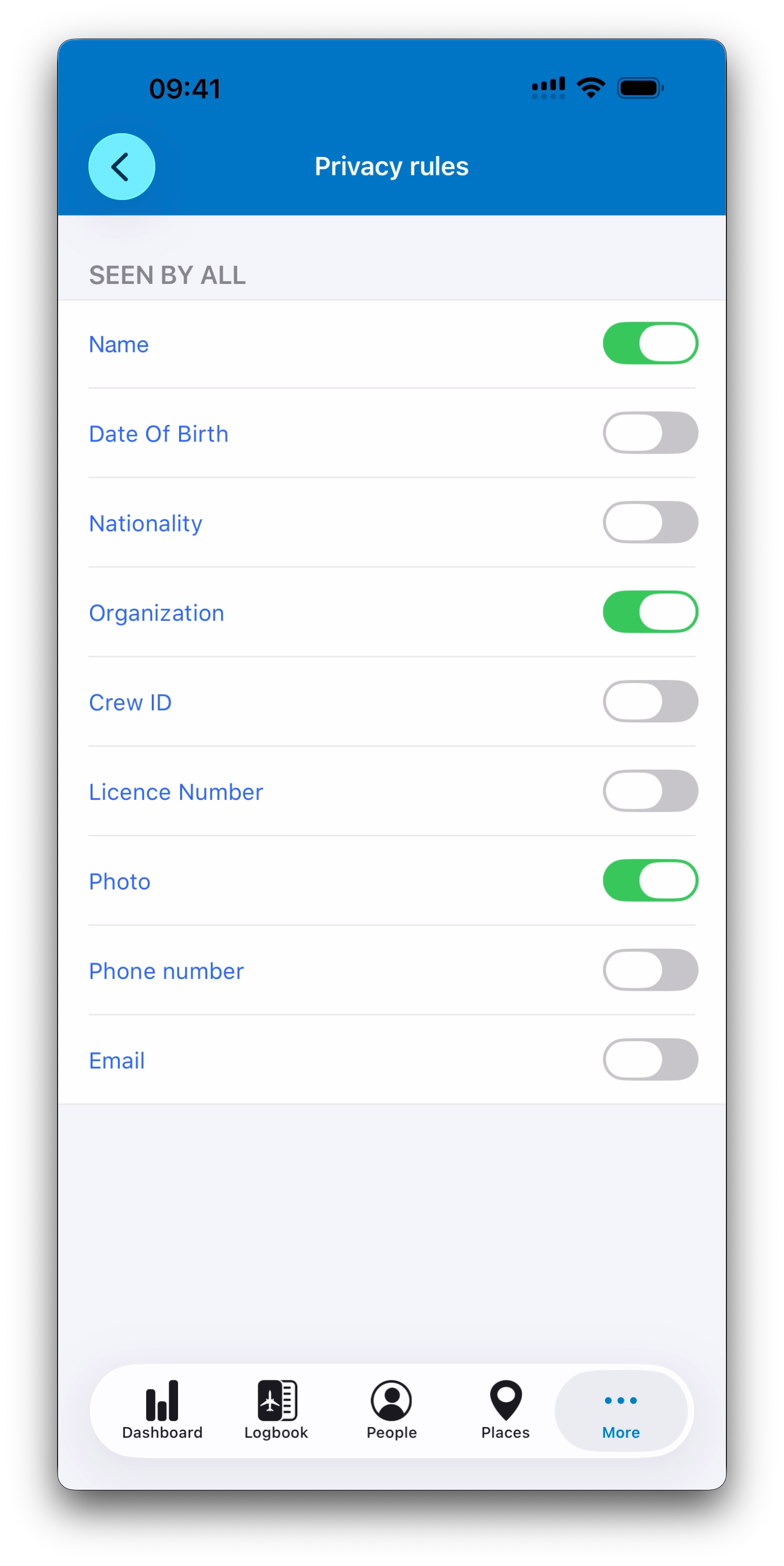
IPL gives you full control over what personal information is visible to other IPL members.
In the Privacy Rules screen, you can decide which fields may be shared, such as:
Name
Organization
Photo
Contact details
This ensures you remain in control of your data at all times.
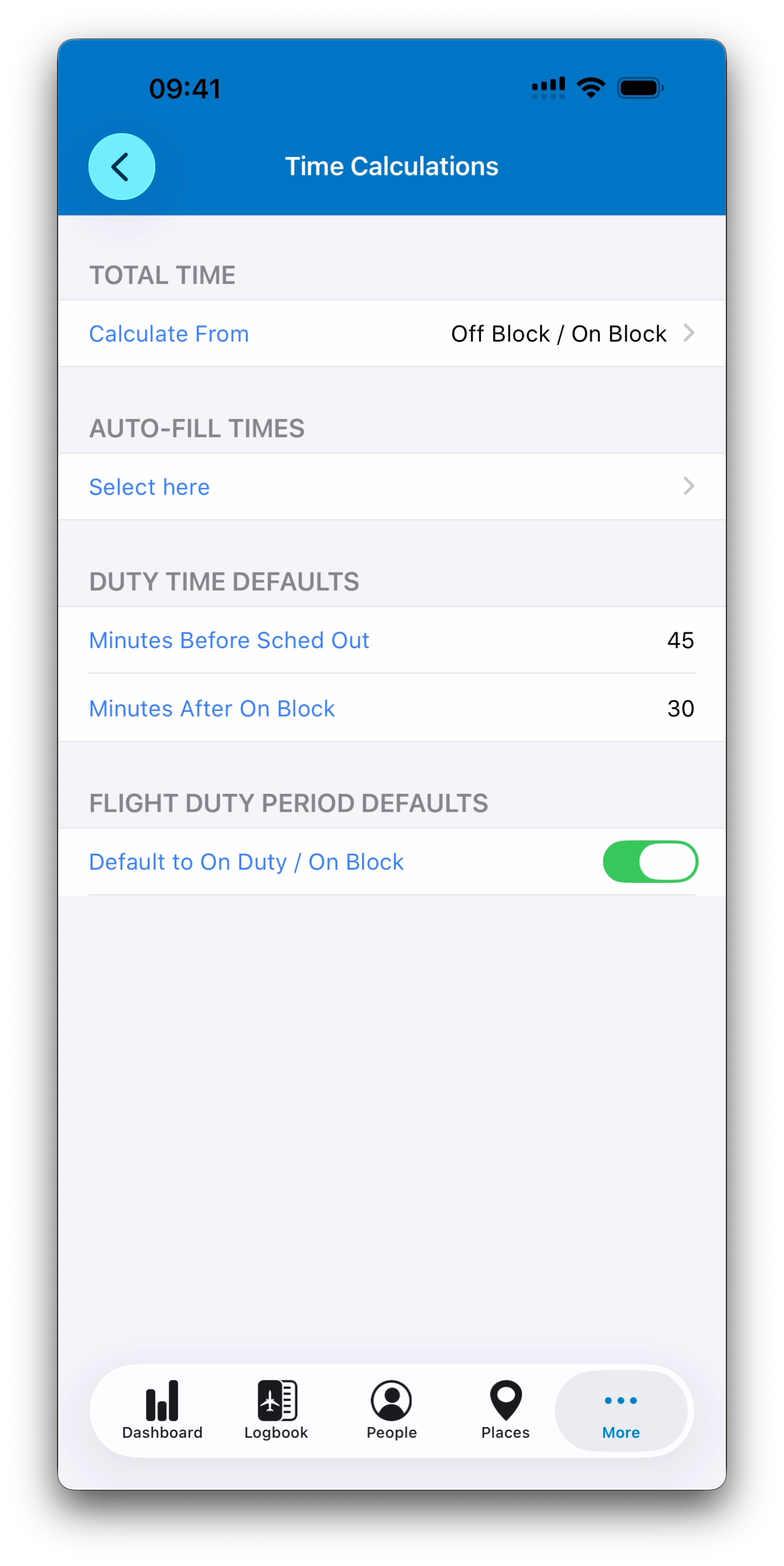
Time Calculation Preferences
Time calculation is at the core of a logbook, and IPL allows you to configure how totals and defaults are computed.
From the Time Calculations settings, you can adjust:
Which reference times are used to calculate total time
Auto-fill behavior for common time fields
Duty time default values
These preferences help IPL match the operational rules you use in daily flying.
Database Maintenance Tools
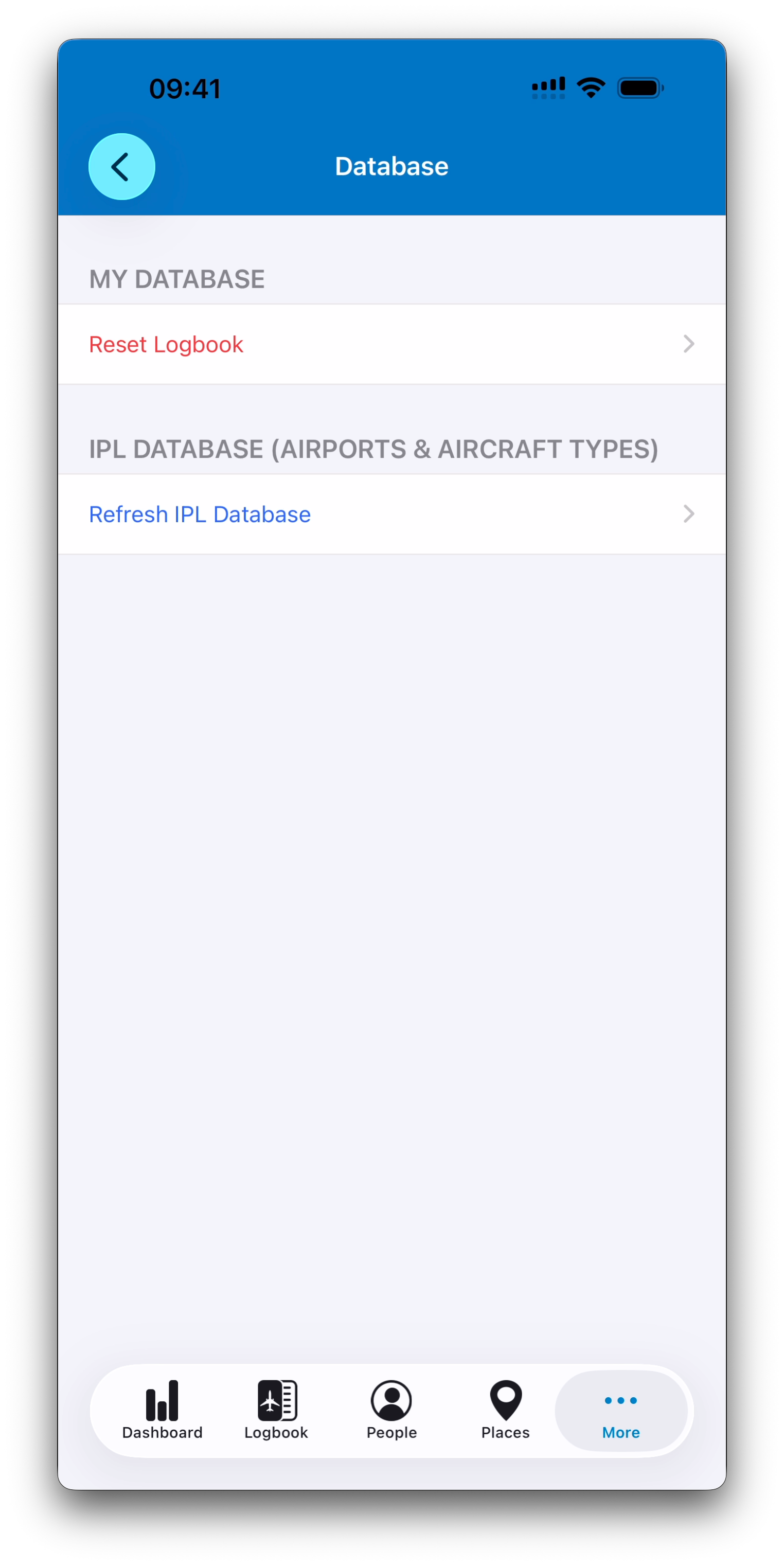
The Settings area also includes maintenance options for managing your local database.
For example:
Refreshing the IPL global airport and aircraft type database
Resetting your logbook data (with confirmation safeguards)
These tools are designed to keep your logbook clean and reliable.
Allow Push Notifications (Sync Only)
Infinite Pilot Logbook may ask you to enable Push Notifications from the Settings screen if you haven’t done so during app install.
IPL uses silent push notifications only to support its synchronization system across devices. These notifications are invisible and are not used to send messages or alerts unless you explicitly consent in the future.
Allowing them ensures that data updates between devices happen more reliably in the background.
Subscriptions and Upgrade Options
IPL offers an optional subscription upgrade that unlocks unlimited logbook entries.
Subscription management is accessible from the Settings screen, and purchases are securely handled through Apple’s in-app purchase system.
If you experience any issue with feature activation after purchase, you can always reach IPL support from the Help section.
Support, Feedback and Help
The Help tab inside IPL provides access to the full support and feedback portal, where you can:
Browse help articles
Contact support
Report bugs
Suggest features and vote on improvements
Follow updates and the public roadmap
This system ensures IPL remains responsive and continuously evolving with its pilot community.
Related Articles
What’s Next
Now that you understand the purpose of the Settings area, the next articles will explore each section in more detail, starting with managing your profile and privacy preferences.
➡️ Continue with Profile & Privacy Rules