Display Options
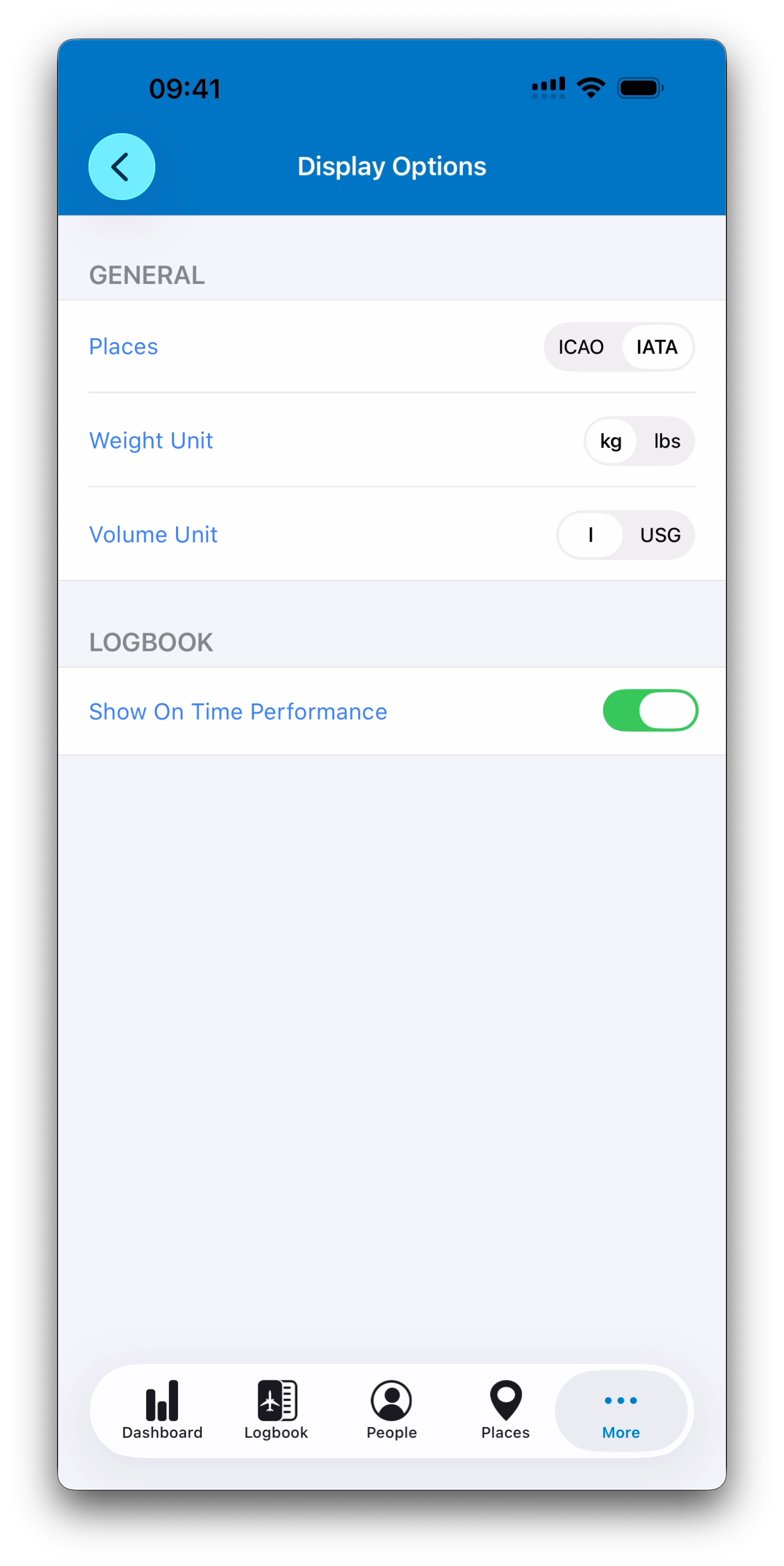
Infinite Pilot Logbook provides several display preferences to help you customize how information appears across the app. These options allow IPL to match your habits, regional standards, and the way you prefer to read your logbook data.
Last updated 7 months ago
Accessing Display Options
You can access these settings from:
More → Settings → Display Options
This screen groups together the main formatting and unit preferences used throughout Infinite Pilot Logbook.
Airport Code Display (ICAO vs IATA)
Places in IPL may include both ICAO and IATA identifiers.
Depending on your flying environment, you may prefer one format over the other:
ICAO codes are commonly used in aviation operations worldwide
IATA codes are often used in commercial or passenger-facing contexts
The Display Options screen lets you choose which code format IPL shows by default across the app.
This affects:
Logbook entries
Place pickers
Maps
Reports and summaries
Unit Preferences
IPL supports multiple unit systems so your logbook matches your operational standards.
From Display Options, you can select your preferred units for:
Weight
Kilograms (kg)
Pounds (lb)
Volume
Liters (L)
US Gallons (gal)
These units are used when entering operational flight data such as:
Fuel
Payload
Aircraft configuration values
Show On-Time Performance
The Display Options screen also includes a switch called Show On Time Performance.
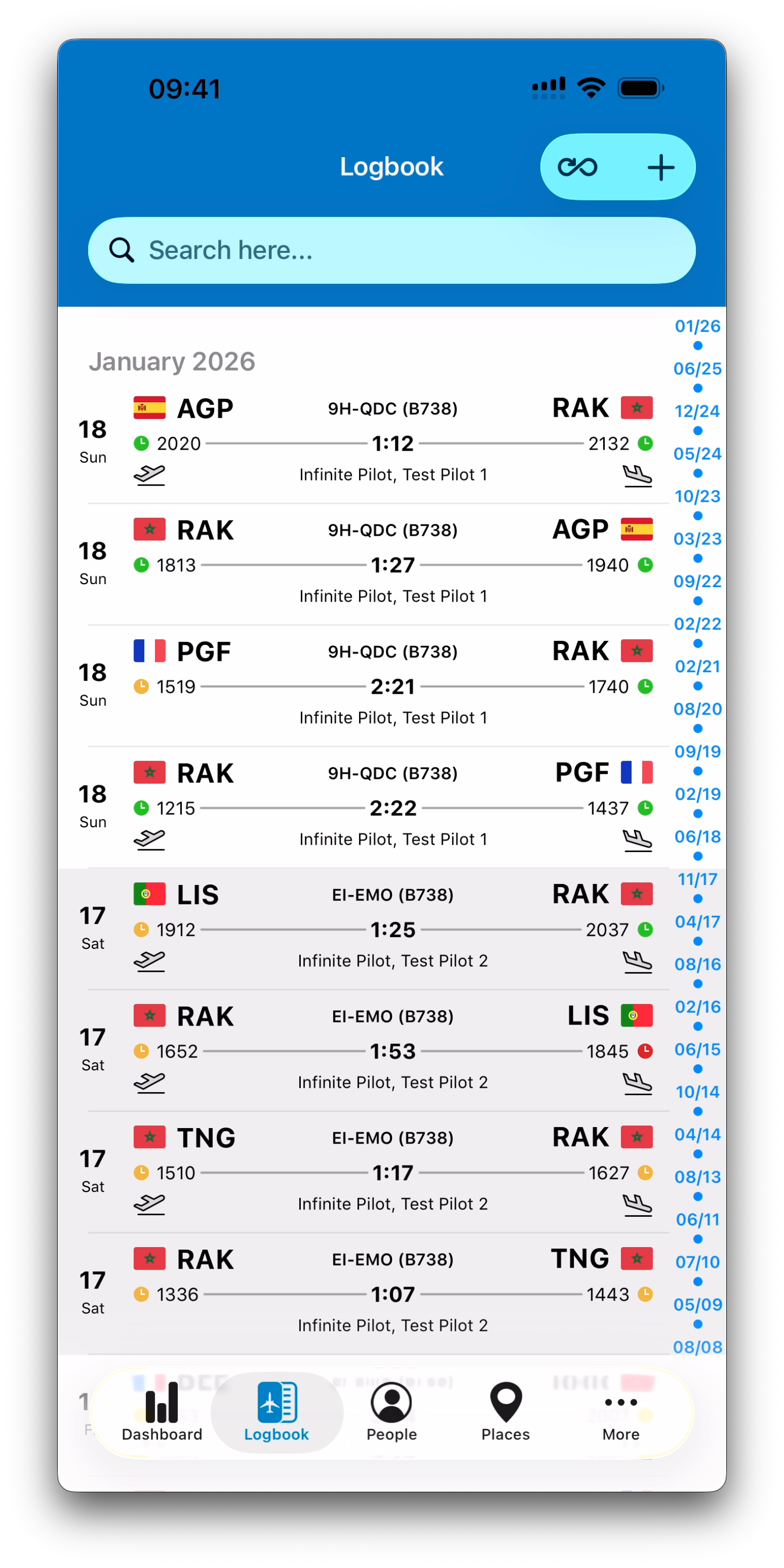
When enabled, IPL can display small clock indicators in your logbook lists to help you quickly identify schedule performance for flights.
These indicators provide a simple visual reference:
Green — on time or early
Orange — 1–15 minutes delay
Red — more than 15 minutes delay
This feature is especially useful if you log commercial operations where departure and arrival punctuality matters, and you want these delays to be visible at a glance.
Best Practice
Display preferences do not change your underlying logbook data — they only affect how information is shown.
You can update them at any time if your flying context changes or simply to match your preferences.
Related Articles
What’s Next
Next, we will explore Time Calculation Preferences, where you can configure how IPL computes total time, auto-fill behavior, and duty-related defaults.
➡️ Continue with Time Calculation Preferences