Dashboard Views in People, Places & Other Modules
Infinite Pilot Logbook extends the Dashboard exploration workflow throughout the entire app. Many modules include a map-based activity view with time period filtering, allowing you to review flights, hours, and associated entries for a specific person, place, aircraft type, aircraft, simulator, or certificate.
Last updated 7 months ago
A Consistent Exploration Workflow Across IPL
The main Dashboard is the central hub for maps and statistics.
But IPL also allows you to explore activity from inside many other modules, such as:
People
Places
Aircraft Types
Aircraft
Simulators
Certificates
Each of these modules provides a dedicated activity view, based on the same time period system used in the Dashboard.
The Summary Bar in Detail Views
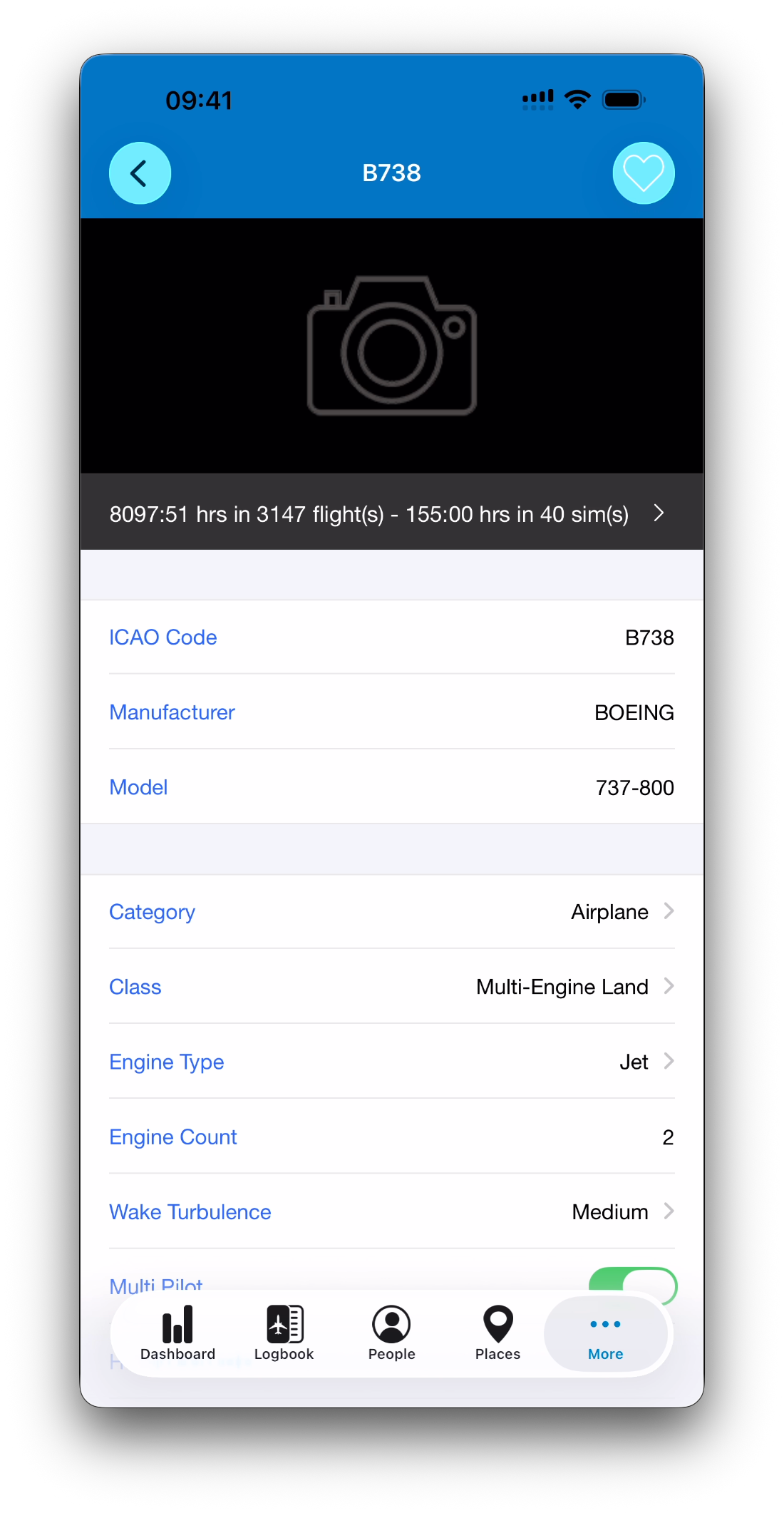
In most modules, you can open an item’s detail view by selecting it from the module list — for example, tapping a person’s name in the People database or choosing an aircraft from the Aircraft list.
In these detail screens, IPL displays a dark summary bar showing:
Total time logged
Number of associated flights or simulator sessions
This bar provides an immediate overview of activity for that object.
Opening the Module Dashboard View
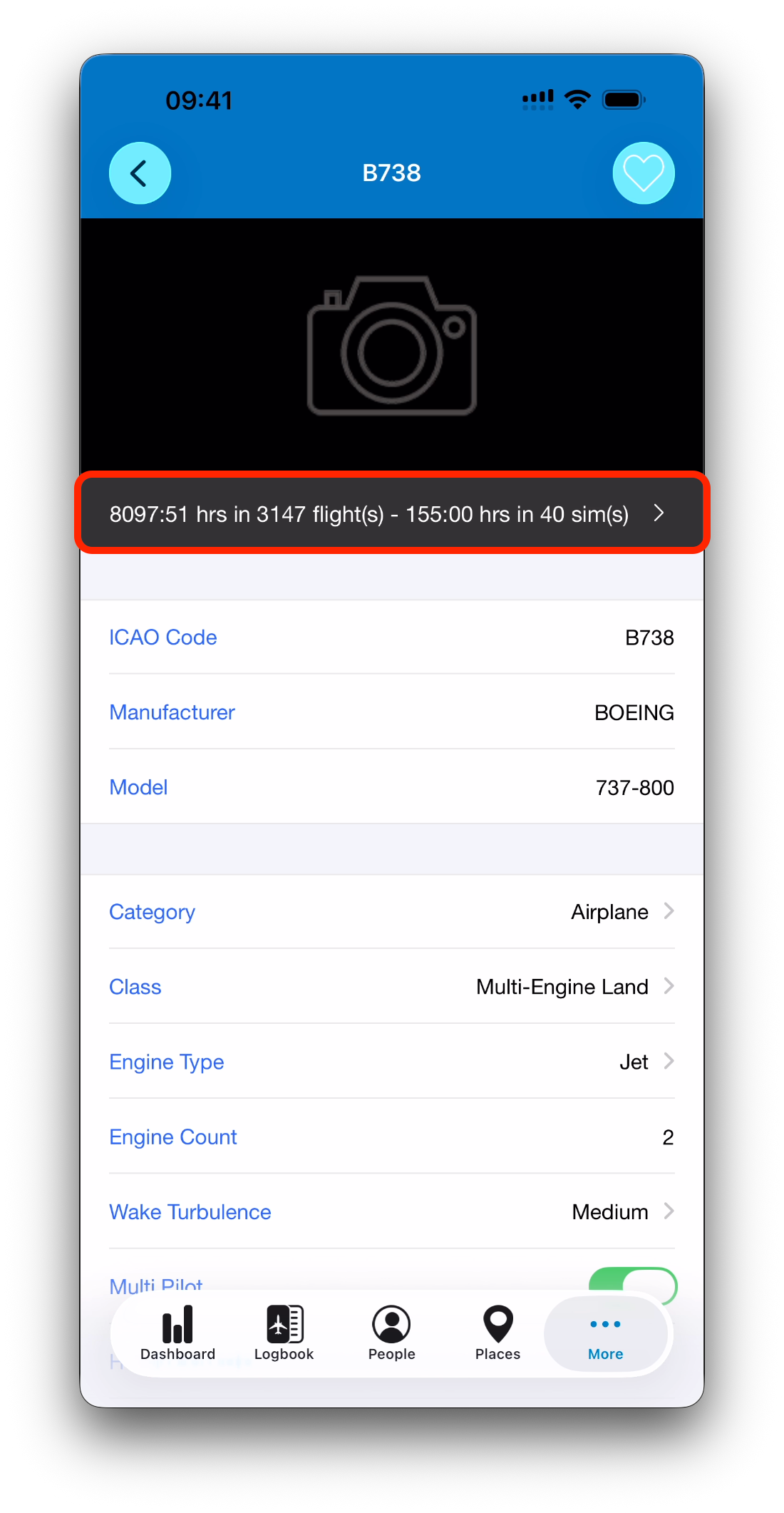
Tapping the summary bar opens a Dashboard-style screen filtered to:
The selected module item (person, place, aircraft…)
The currently active time period
This allows you to instantly explore:
Routes flown involving that object
Entry history restricted to the selected period
Activity trends over time
Map + Entries Instead of Custom Stats
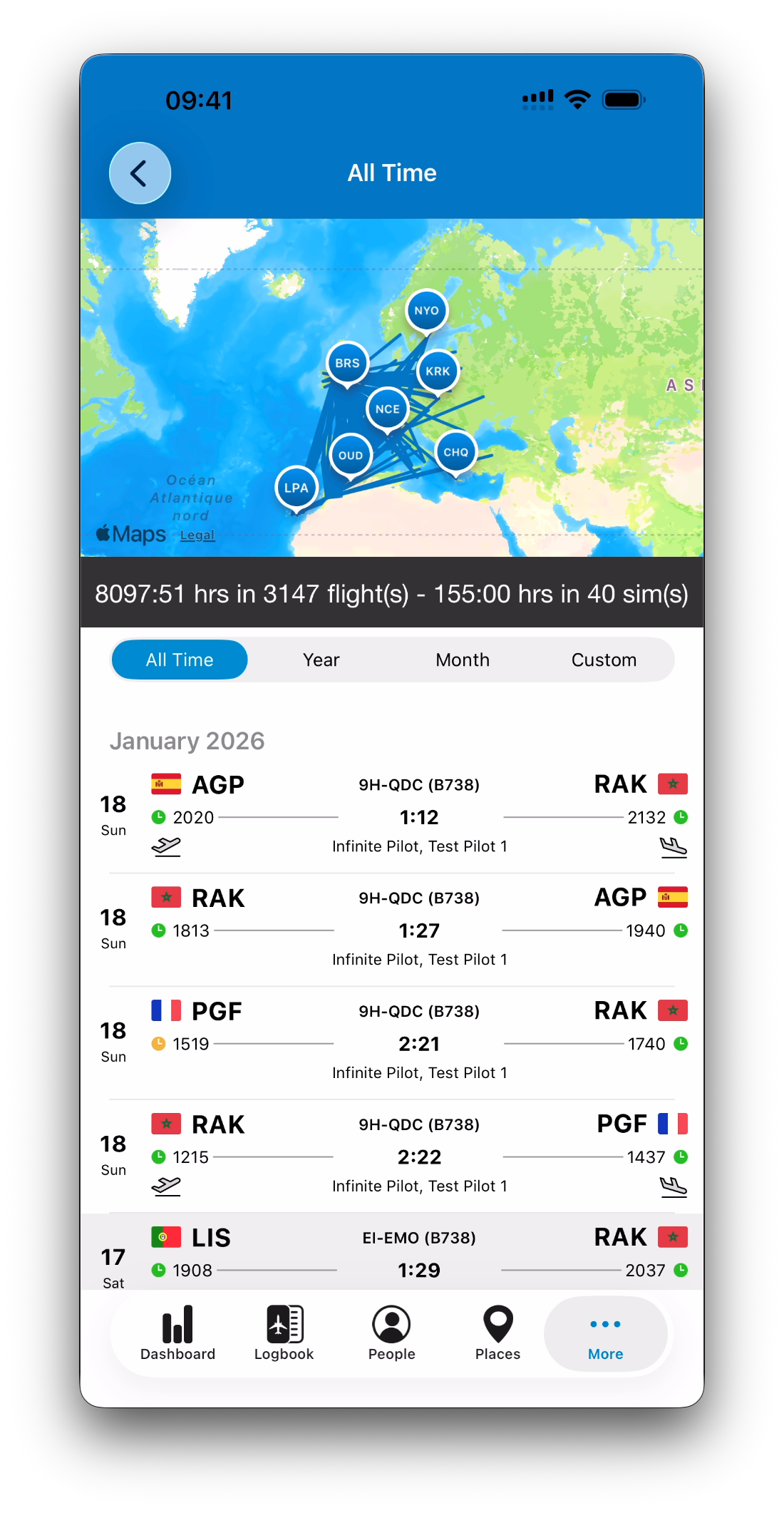
Unlike the main Dashboard tab, module dashboards do not display the customizable stat list.
Instead, these views focus on:
The map with routes for that object
A total activity summary
The list of matching logbook entries directly below
This design provides faster access to the underlying flights or sessions, without requiring statistic configuration.
For example:
Opening an Aircraft dashboard shows all flights logged on that aircraft
Opening a Place dashboard shows every entry involving that airport
Opening a Certificate dashboard shows renewal and history events
Time Period Filtering Works the Same Way
Module dashboards use the exact same time period selector as the main Dashboard.
You can switch between:
All Time
Year
Month
Custom Time Periods
When you change the period:
The routes update
The totals update
The entry list refreshes
This ensures consistent filtering across the entire IPL ecosystem.
Why This Matters
This module Dashboard system allows IPL to behave like a connected ecosystem rather than separate databases.
Instead of just storing information, IPL helps you answer questions like:
Which flights did I do with this instructor last year?
How often have I operated into this airport recently?
What is the activity history of this aircraft type?
Which sessions contributed to this qualification?
Everything remains traceable through real logbook entries.
Related Articles
What’s Next
You have now completed the full Dashboard, Maps & Statistics collection.
You can now:
Filter your activity by time period
Explore flights visually on the map
Track custom statistics and goals
Drill into entries from anywhere in the app
➡️ Explore other collections such as Certificates & Qualifications or Importing & Exporting Data to unlock the full power of IPL.
➡️ Learn more about IPL Settings in Overview: Settings, Account & Support